Manus is the AI agent everyone keeps talking about — and for once, the hype is about something real. Give it a goal like “research the D2C skincare market in India and write me a five-page report,” and it doesn’t just answer. It opens a browser, pulls data from dozens of sources, writes Python to clean the numbers, builds charts, and hands you a finished PDF. While you were getting coffee.
But here’s what nobody tells you upfront: Manus has four modes, and they behave like four different products. Pick the wrong one and you’ll burn a week’s worth of credits on a shallow summary — or sit through a forty-minute autonomous run for a question a chatbot could have answered in ten seconds. The difference between Chat mode and Wide Research mode isn’t a settings toggle. It’s the difference between a search engine and a research team.
This guide compares every Manus analysis mode through the one job most people actually buy it for: reports and analysis. What each mode does, what it costs you in credits, and — most importantly — which one your specific task deserves.
Meet Manus in 30 Seconds
What Manus Actually Is
Manus is a general-purpose AI agent from Butterfly Effect that launched in March 2025 and immediately reset expectations for what an “AI assistant” can do. Traditional chatbots answer questions. Manus completes goals: you describe the outcome you want, and it figures out the steps.
Under the hood, it runs as a multi-agent system inside its own cloud sandbox. A planning agent breaks your vague prompt into a concrete roadmap. An execution agent does the actual work — navigating real websites, clicking buttons, running terminal commands. A verification agent checks the output for errors before you ever see it. If a step fails, Manus diagnoses the problem and reroutes on its own; it doesn’t stop and ask you what to do. You can watch the whole thing happen live in the “Manus’s Computer” panel, intervene at any point, and replay sessions afterward. It even keeps working after you close your laptop.
That planning-execution-verification split is the same orchestration problem every agent framework wrestles with — if you want to see how the two leading open approaches solve it under the hood, our LangGraph vs Atomic Agents comparison breaks down the architecture in detail.
Why Modes Matter More Than Models
Manus also offers three model tiers — 1.6 Lite, 1.6, and Max — and it’s tempting to obsess over which one to pick. Don’t. The mode you choose changes behavior and credit burn far more than the model tier does.
Chat mode sips credits. Agent mode and Wide Research drink them — complex tasks consume roughly 11 to 14 credits per minute, and a deep research run can eat through hundreds before you see a single page. On the free tier’s 300 daily credits, one careless Wide Research run can spend your entire day’s budget. The skill that separates happy Manus users from frustrated ones isn’t prompt engineering. It’s knowing which mode a task deserves before you hit send.
The Four Modes, Explained
Chat Mode — Fast Answers, Low Cost
Chat mode is Manus at its simplest: conversational, quick, and cheap. Ask a question, get an answer. It summarizes, structures, and clarifies — roughly what you’d get from a strong LLM with web search attached.
What it won’t do is the interesting stuff. Chat mode doesn’t browse autonomously, doesn’t write code, doesn’t produce files. It won’t build you a report; it’ll describe what a report about your topic might contain. Think of it as the front door: good for quick questions, follow-ups, and sanity-checking an idea before committing credits to a real run. If your task ends with a sentence, Chat mode is probably enough. If it ends with a document, it isn’t.
Agent Mode — Full Autonomous Execution
This is the mode the launch demos were about, and it’s the reason Manus exists. Give Agent mode a goal and it plans the work, opens its sandboxed browser, pulls data from real sites, writes and runs code, creates finished files — PDFs, spreadsheets, slide decks, even web apps — and delivers them when it’s done. It runs in the cloud, so it keeps going after you close the tab, and it supports scheduled execution: the same report, rebuilt every morning at 9 AM, without you lifting a finger.
The trade-off is time and credits. A serious Agent mode run takes tens of minutes and burns credits at roughly 11 to 14 per minute. You’re hiring a junior analyst who works fast and never sleeps — but the meter is running the whole time. Use it when the deliverable is a finished artifact, not an answer.
Adaptive Mode — The Agent Decides
Adaptive mode hands the mode choice to Manus itself. You describe the task; it decides whether a quick chat-style response will do or whether to spin up the full autonomous machinery.
The appeal is obvious — one button, no decisions. The catch is predictability. You don’t know in advance which approach it’ll pick, which means you can’t predict what a task will cost or how long it’ll take. Sometimes it nails the judgment call. Sometimes it launches a twenty-minute autonomous run for something Chat mode could have handled. Adaptive is best for low-stakes tasks where you genuinely don’t care how the answer gets produced — and worst for anything where you’re watching your credit balance.
Wide Research Mode — Parallel Sub-Agents
Wide Research is Manus 1.6’s standout feature and the one with no real equivalent anywhere else. Instead of one agent working through sources sequentially, it deploys many research agents simultaneously — each hitting different sources at the same time, then pooling what they find. Need 200 fitness influencers across Instagram and YouTube, each with follower counts, niches, and cities, validated and deduplicated? That’s a thirty-minute Wide Research job that would take a human analyst days.
The catch, as always, is cost: this is the most credit-hungry mode Manus offers, and it’s overkill for anything that isn’t genuinely a large-scale gathering job. But when a Wide Research run pulls from hundreds of sources at once, something has to decide what’s relevant and what isn’t — that retrieval machinery is a vector database working behind the scenes, and our Vector Database Guide explains how that layer actually works.
Head-to-Head Comparison
Here’s every mode on one grid, so the trade-offs are visible at a glance:
| Chat Mode | Agent Mode | Adaptive Mode | Wide Research Mode | |
|---|---|---|---|---|
| Best for | Quick questions, summaries, follow-ups | Finished reports, files, multi-step builds | “Just handle it” low-stakes tasks | Large-scale parallel research |
| Credit cost | Minimal | High (~11–14/min on complex tasks) | Unpredictable — it decides | Highest |
| Speed | Seconds | Tens of minutes | Varies | Tens of minutes (but parallel) |
| Output depth | Shallow by design — summarizes, doesn’t create | Deep — browses, codes, delivers files | Whatever it picks | Broadest — many sources at once |
| Key limitation | Can’t browse autonomously or produce files | Expensive; overkill for simple questions | You can’t predict cost or approach | Overkill (and costly) for small jobs |
| Deliverable | An answer | A finished artifact | Either — you don’t choose | A dataset or large report |
The pattern that matters: cost and depth move together, and there’s no free depth. Every step up in output quality is a step up in credit burn. The modes aren’t good or bad — they’re priced for different jobs.
The Same Report in Every Mode
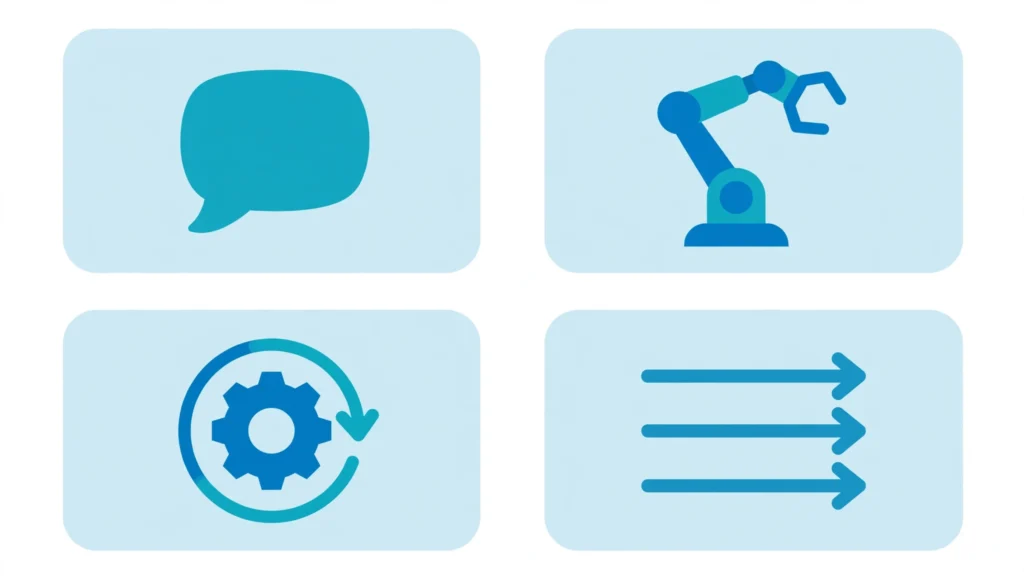
Comparisons stay abstract until you watch the same job run through each mode. So here’s one task — “Analyze Q3 market trends for D2C skincare in India and produce a 5-page report” — and what actually happens in each:
Chat mode gives you a structured summary in under a minute: market size estimates, a few named trends, bullet-point takeaways. It reads well. It’s also the kind of thing you could have assembled from three good articles — because that’s essentially what it did. Cost: pocket change. Depth: a briefing, not a report.
Agent mode disappears for about half an hour. It browses industry reports and news, pulls pricing data from brand sites, writes Python to clean and chart the numbers, drafts the narrative, and delivers a PDF with actual visualizations and sourced claims. The verification layer checks the figures before you see them. This is a document you could attach to an email. Cost: a few hundred credits. Depth: analyst-grade.
Adaptive mode picks one of the above — and you won’t know which until it’s done. Hand it this task on a Monday and you might get the quick summary; hand it the identical task on Tuesday and you might get the thirty-minute full research run. That’s the deal: convenience in exchange for control. Fine when the stakes are low, maddening when they’re not.
Wide Research mode treats this as a data-gathering operation. It fans out across sources in parallel — brand sites, marketplaces, review platforms, industry publications — pulling pricing, product counts, and review volumes simultaneously, then synthesizes everything into a report backed by a dataset you can actually audit. For a five-page trends report, this is arguably overkill. For “map every D2C skincare brand in India with pricing and SKU counts,” it’s the only mode that makes sense.
The takeaway: the mode doesn’t just change how the work gets done. It changes what “done” means.
Agent Profiles: Lite vs 1.6 vs Max
Modes decide how Manus works. Profiles decide how hard it thinks while doing it. Manus 1.6 ships with three tiers:
1.6 Lite is the fast, cheap one — best for simple, well-defined tasks where speed matters more than thoroughness. Quick lookups, light drafting, straightforward extractions. It’s also what the free tier runs in Agent mode, which is worth knowing: your free-tier experiments are Lite-grade, not full-grade.
1.6 is the balanced default and the right starting point for most work. Good judgment on ambiguous tasks, solid output quality, standard credit cost. If you don’t have a reason to pick one of the others, pick this.
1.6 Max is the heavyweight — reserved for complex analysis where thoroughness justifies the higher cost. Deep research, intricate multi-step builds, tasks where a missed detail actually matters.
The interaction between profiles and modes is where the real decisions live. Lite + Chat is your cheapest possible answer. 1.6 + Agent is the workhorse combo for serious report work. Max + Wide Research is the “money is no object” setting — maximum depth, maximum parallelism, maximum credit burn. Most people should live in the middle two combinations and reach for the extremes only when the task clearly demands it.
One practical note: profiles are a Manus 1.6 thing, and Manus iterates fast. If a 1.7 or new tier appears, the principle stays the same — match the thinking budget to the stakes of the task, not to your curiosity about the shiny new option.

Where Each Mode Shines
Theory is nice; jobs are better. Here’s where each mode earns its keep:
Chat mode — the daily driver for small things. Morning briefings (“summarize what happened in AI policy this week”), follow-up questions on a finished report (“what did that report say about pricing?”), quick sanity checks before you commit to a real run. If you find yourself typing a question you’d ask a smart colleague in passing, that’s Chat mode.
Agent mode — the monthly report, the competitive teardown, the investor update, the dashboard build. Anything where the output needs to be a file someone else will open. Media buyers run it on schedules — campaign performance reports every morning, delivered before the standup. Researchers use it for literature reviews that end as structured documents. The pattern: recurring or substantial deliverables where “done” means a file exists.
Adaptive mode — the junk drawer, affectionately. “Look into this and tell me what matters.” Background research where you genuinely don’t care about the method, only the result. It works best as a default for the curious but non-urgent — the stuff you’d otherwise procrastinate on because choosing a mode feels like work.
Wide Research mode — lead list building (the 200-influencer job), market mapping across dozens of sources, dataset construction where coverage matters more than narrative. Sales teams, recruiters, market analysts — anyone whose job starts with “find me everything about X.” If your task has the word “all” in it — all competitors, all suppliers, all mentions — you’re in Wide Research territory.
The Honest Trade-offs
Every comparison that only lists strengths is a brochure. Here’s what actually frustrates Manus users:
Credit burn is hard to predict. This is the single most common complaint. Manus’s pricing has changed several times since launch, consumption varies with task complexity, and a run that looks simple can spiral when the agent hits a tricky site or retries a failed step. Treat the Manus pricing page as the source of truth, not any article — including this one — and run the free tier’s 300 daily credits through your actual workflow before spending a dollar.
Chat mode is shallow by design. It’s not a bug; it’s the product. But it means the mode you’ll use most is also the one most likely to give you confident-sounding surface-level answers. Never let Chat mode be the last word on anything that matters.
Wide Research is a cannon for a mosquito most of the time. The parallelism is thrilling and the demos are impressive, but the credit cost means you should reserve it for genuinely large gathering jobs. Running Wide Research on a question Agent mode could answer is the fastest way to empty your balance.
The verification agent isn’t infallible. Manus checks its own work, which is better than nothing — and genuinely better than most competitors. But “checked by an agent” is not “checked by a human who understands your business.” Figures in an important report still deserve your eyes before they go to a client.
Free tier ≠ full product. The free 300 daily credits run on Lite in Agent mode with one concurrent task. It’s enough to learn the workflows and validate the concept. It’s not enough to evaluate whether full-grade Manus is worth paying for — budget a month of Pro for that test.
How to Choose
Three questions, in order. Answer them and the mode picks itself:
1. How long is the job? If it’s a minutes-long question, use Chat. If it’s tens of minutes of multi-step work, use Agent. If it’s a massive gathering job that only makes sense parallelized, use Wide Research. Match the mode to the shape of the work, not to how impressive the mode sounds.
2. What’s the deliverable? An answer → Chat. A finished file — a PDF, a spreadsheet, a deck → Agent. A dataset covering “everything about X” → Wide Research. When in doubt, ask yourself what you’d be annoyed to receive: if a chat reply would annoy you, you needed Agent mode.
3. What’s your credit budget? Tight budget or free tier → Chat for most things, Agent sparingly, and only with Lite. Expensed or Pro → Agent as the default workhorse. Wide Research only when the job genuinely needs parallelism — never as a “let’s see what happens.”
A practical habit that saves real money: prototype in Chat mode first. Ask Manus to outline how it would approach the task and what sources it would use. That costs almost nothing, and the outline tells you whether the full Agent run is worth it — or whether your prompt needs sharpening before you spend credits on it.
Manus vs the Alternatives
No tool exists in a vacuum, and Manus’s modes look different once you see what else is out there. This isn’t a full alternative review — just enough to place Manus on the map.
ChatGPT’s Agent mode is the closest direct rival: a general autonomous agent with a sandboxed browser and computer, bundled into the $20 ChatGPT Plus plan most people already pay for. For general task automation it’s the strongest alternative, and the flat subscription is easier to budget than Manus’s credit meter. Where Manus pulls ahead is Wide Research — nothing in ChatGPT’s lineup parallelizes research across sources the way Manus does.
Genspark positions itself as a multi-agent workspace with 80+ built-in tools, strong at end-to-end research, decks, and site builds from a single prompt. If your report work usually ends in a presentation, Genspark’s Super Agent is worth a look. It’s less of a general computer-operator than Manus and more of a polished production line.
Perplexity’s Deep Research is the specialist: research with sources, done well, at a lower price point. If your “report” is really a well-sourced research brief and you don’t need Manus’s file creation, browser automation, or scheduling, Perplexity gives you most of the value for less money and less complexity.
The honest summary: Manus wins on autonomous depth and parallel research; it loses on pricing predictability. Most people in 2026 end up with one agent for heavy lifting and one lighter tool for everyday research — not a single winner.
Frequently Asked Questions
Which Manus mode should I use for reports?
Agent mode, in almost every case. Reports are finished deliverables — files with structure, data, and visualizations — and Agent mode is the only mode built to produce them. Use Chat mode to prototype the approach first (it costs almost nothing), then run the real thing in Agent mode. Reach for Wide Research only when the report needs broad parallel data gathering behind it.
What is Manus Wide Research mode?
It’s Manus 1.6’s parallel research feature: instead of one agent working through sources one by one, it deploys many sub-agents simultaneously across different sources, then pools and synthesizes what they find. Built for large-scale gathering jobs — lead lists, market mapping, dataset construction — where coverage matters more than narrative. It’s the most credit-hungry mode, so reserve it for jobs that genuinely need parallelism.
What’s the difference between Chat mode and Agent mode?
Chat mode is conversational: quick answers, summaries, and short tasks, at minimal credit cost. It can’t browse autonomously, write code, or create files. Agent mode is fully autonomous: it plans multi-step work, operates a real browser and terminal in a cloud sandbox, self-corrects when steps fail, and delivers finished files. Different products sharing a login, essentially.
How much does a Manus report cost in credits?
It varies more than you’d like. Complex Agent mode tasks consume roughly 11 to 14 credits per minute, so a thirty-minute deep research run can cost a few hundred credits. The free tier gives you 300 credits daily (running on Lite), which covers learning the workflows but not serious production work. Manus has changed pricing several times — check their pricing page before budgeting, and test with the free tier first.
Is Manus better than ChatGPT’s Agent mode for research?
For parallel, large-scale research — yes, Wide Research has no equivalent in ChatGPT’s lineup. For general autonomous task automation, ChatGPT’s Agent mode is the strongest rival and comes bundled in the $20 Plus plan most people already have, with more predictable billing. If your work is mostly well-sourced research briefs rather than finished files, Perplexity’s Deep Research is the cheaper specialist worth considering.
Conclusion
Here’s the thing most Manus coverage misses: the modes are the product strategy. Chat mode hooks you with free-feeling speed. Agent mode does the work that justifies the subscription. Wide Research is the moat — the one capability nobody else has matched. The model tiers are just a volume knob on top.
So the skill isn’t learning Manus. It’s learning which mode a task deserves before you spend a single credit — and that judgment transfers everywhere. The same instinct that tells you “this needs Agent mode, not Chat” is the instinct that tells you when a task needs a stateful agent framework instead of an atomic one, or when your retrieval layer needs a real vector database instead of keyword search. Tools change; the judgment compounds.
Start cheap, prototype in Chat, spend credits where the deliverable justifies them — and let the modes do what each was built for.