Somewhere in your company right now, an automation is doing something nobody asked it to do. Maybe it’s a workflow that started emailing customers twice because someone duplicated a trigger. Maybe it’s an AI agent with a company credit card and no spending limit. Maybe it’s been quietly syncing the wrong spreadsheet for three weeks and nobody noticed because the dashboard still looks green.
This isn’t a hypothetical. It’s the normal state of automation at scale. Companies go from five workflows to five hundred in eighteen months, and somewhere around workflow number fifty, a question nobody assigned to anyone becomes urgent: who is actually in charge of what these things are allowed to do?
AI workflow automation governance is the answer to that question. It’s the set of policies, controls, and oversight that determines what an automated workflow may do, what data it may touch, and when a human has to step in before it acts. Not the grand policy documents about “responsible AI” — the operational layer. The permissions. The approval gates. The logs.
The numbers explain why this stopped being optional. Gartner projects that more than 40% of agentic AI projects will be cancelled by the end of 2027 over inadequate risk controls, and fewer than a quarter of organizations have anything resembling mature governance over their AI systems. Read that again: most companies are deploying AI that acts while having no real framework for controlling what it does.
This guide is the practical version. What governance actually consists of, a framework you can steal, how to enforce it inside the platforms you’re already paying for, what the EU AI Act now demands, three templates you can copy on Monday, and the failure modes that show up when none of this exists.
One clarification before we start, because the terminology is a swamp: this is not AI governance in the policy sense — the frameworks, regulations, and board-level accountability. That’s a separate discipline with its own guide. This is runtime governance: what your automations are allowed to do while they’re running. The two connect, and we’ll map exactly where, but they solve different problems.
What AI Workflow Automation Governance Actually Means
Strip away the consulting language and governance comes down to three questions, asked about every automated workflow you run:
- What is it allowed to do? Which systems can it touch, what actions can it take, what data can it read?
- What happens when it’s unsure? Does it stop, ask, guess, or plow ahead?
- Can you prove what it did? If something goes wrong — or a regulator asks — is there a record?
Everything else is implementation detail. But the implementation has layers, and it helps to name them, because “we need governance” is too vague to act on while “we have no inventory of our workflows” is a Tuesday task. Eight layers, borrowed from a practitioner model that’s been circulating and sharpened here:
The 8 layers, with teeth
1. Inventory
A complete list of every automation running in the company — who built it, what it does, when it last ran. You cannot govern what you can’t see, and most companies are shocked by the count. The marketing intern’s Zapier account counts. The founder’s personal Make scenario that touches the production database counts.
2. Lineage
For each workflow: where does its data come from, where does it go, what transforms in between. When a number on a dashboard is wrong, lineage is how you trace it back to the workflow that corrupted it instead of interrogating five suspects.
3. Data quality
Garbage in, automated garbage out — at machine speed. Governance means defining what “good enough” data looks like for each workflow and what happens when input fails the check: quarantine, alert, or halt.
4. Security
Credentials scoped to the minimum each workflow needs. Secrets in a vault, not pasted into a node. The principle is least privilege, and the test is simple: if this workflow’s credentials leaked tomorrow, what’s the blast radius?
5. Access control
Who can build, who can edit, who can turn things on. The intern can build a draft; only a named owner can activate a workflow that touches customer data. Most platforms support this on paid tiers — most teams never configure it.
6. Human oversight
The explicit decision, per workflow, of where humans stay in the loop. Not everywhere — that’s just manual work with extra steps. At the consequential points: money moving, messages sent externally, records deleted.
7. Compliance
The mapping between your workflows and the rules that apply to them — industry regulations, data residency, and now the EU AI Act’s obligations for certain automated systems. This layer is mostly documentation, and it’s the one auditors ask for first.
8. Audit trails
Every run logged: what triggered it, what it did, what it decided, what it skipped. Designed in from the start, not bolted on after. An audit trail you have to reconstruct isn’t an audit trail.
Nobody implements all eight on day one. The point of naming them is triage: you can now say “we have inventory and audit trails, but no access control,” which is a plan. “We need governance” is a feeling.
Why Governance Became Urgent in 2026
Three things changed, and they changed together.
Automations started acting, not just notifying
The old world was triggers and notifications — a workflow sent a Slack message and a human decided. The new world is agentic: AI steps inside workflows that take actions directly. Draft the email, send the email. Score the lead, update the CRM, trigger the outreach. Every step where a human used to be a natural checkpoint is now a straight line from decision to action. That’s enormously powerful and exactly where the disasters live, because the error that used to get caught by a person now ships at machine speed.
The EU started enforcing
In October 2026, the European Commission announced its first AI Act enforcement actions: the EU AI Office sending formal Requests for Information to providers of the most advanced AI models after a summer of loss-of-control incidents during testing. The obligations for general-purpose AI have been in force since August 2026. The blunt takeaway for businesses: governance records — risk assessments, incident postmortems, testing controls — are now evidence regulators can demand, not internal paperwork. If your automations touch the EU market and you can’t show how they’re controlled, that’s no longer a maturity gap. It’s exposure.
The cancellations started
That Gartner projection — 40%+ of agentic AI projects cancelled by end of 2027 over inadequate risk controls — isn’t a prediction about technology failing. It’s about trust failing. Pilots that worked in demos get killed in procurement and legal review because nobody can answer the three questions from the previous section. Governance is increasingly the thing standing between a successful pilot and a deployed system.
None of this means slowing down. It means the teams that scale automation fastest in 2026 are the ones that made it boring and safe — because safe automations get approved, and approved automations compound.
The Risk-Tier Model (Steal This Framework)
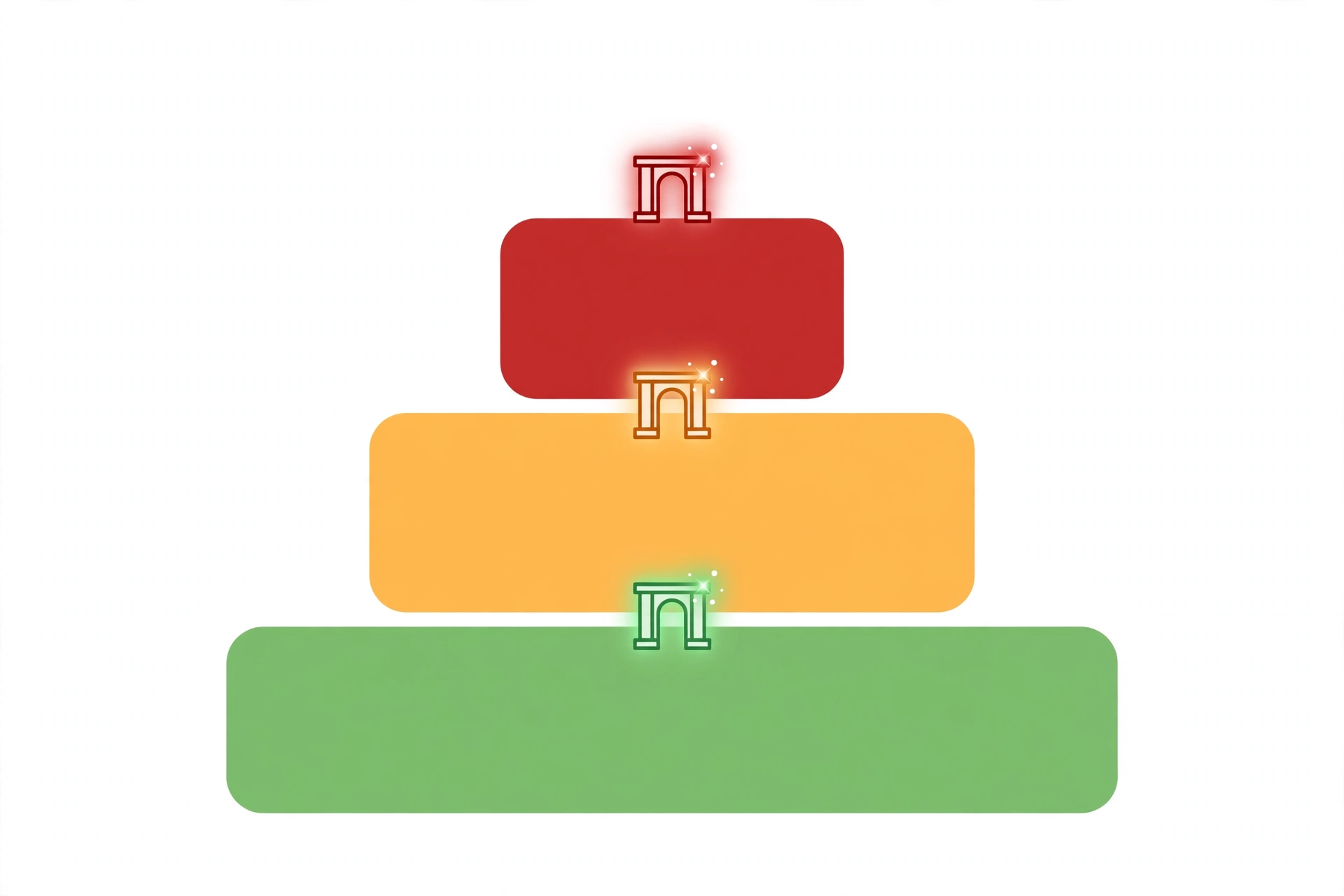
Here’s the framework that does 80% of the work. Every workflow gets a tier, and the tier determines the controls. Three tiers are enough — more and nobody remembers which is which.
Tier 1 — Run free
Low-risk workflows that run without human involvement. Internal notifications, data syncs between systems you own, report generation. Requirements: they’re logged, they have an owner, and someone reviews the logs monthly. That’s it. Most of your workflows should live here, and the goal of good governance is keeping them here confidently.
Tier 2 — Exception review
Medium-risk workflows that run on their own but escalate the unusual. The invoice processor handles everything except amounts over the threshold or vendors it hasn’t seen. The support classifier auto-routes everything except the angry enterprise customer. Requirements: defined exception criteria, a human who actually looks at the exceptions, and a feedback loop so recurring exceptions get re-tiered or fixed.
Tier 3 — Named approver
High-risk workflows where a specific person approves before the consequential action. Money moving above a limit. Messages to customers. Anything touching production data destructively. Requirements: the approver is named (not “the team”), there’s an SLA on approval so work doesn’t rot in a queue, and the approval itself is logged.
How to tier a workflow in five minutes
Score three factors, 1 to 3 each:
- Data sensitivity: 1 = internal, non-sensitive. 2 = internal, sensitive (salaries, strategy). 3 = customer data, financials, health, anything regulated.
- Blast radius: 1 = affects one system or person. 2 = affects a department or a visible process. 3 = affects customers, revenue, or the public.
- Reversibility: 1 = trivially undoable. 2 = undoable with effort. 3 = irreversible (money sent, message delivered, record deleted).
Add them up. 3–4 is Tier 1, 5–6 is Tier 2, 7–9 is Tier 3. It’s crude on purpose — the point is that every workflow gets tiered this week, not that the scoring is academically perfect. Argue about the edge cases in the review; the 80% that are obvious just got governed.
| Tier | Runs | Human involvement | Review cadence | Example |
|---|---|---|---|---|
| 1 — Run free | Autonomously | None, unless logs flag | Monthly log review | Daily sales report to Slack |
| 2 — Exception review | Autonomously | Reviews exceptions only | Weekly exception review | Invoice processing under €5k |
| 3 — Named approver | After approval | Approves each consequential run | Per-run + quarterly policy review | Refunds over €500, customer emails |
This table is also your first template — copy it into wherever your team documents things, fill in your own workflows, and you have a governance program’s skeleton by lunch.
Enforcing Governance Inside the Platforms You Actually Use
Frameworks are nice; enforcement is where it lives or dies. Here’s what’s actually available in the platforms teams use, and where the gaps are.
n8n
Self-hosting is n8n‘s governance superpower and its governance trap. Superpower: execution data lives in your own Postgres database, so audit trails are yours — full run history, queryable, retainable as long as you want. Credentials are stored per-workflow and can be scoped narrowly. Trap: none of it is configured by default, and the Community Edition’s user management is thin. Governance on self-hosted n8n means: separate credentials per workflow (never one god-mode API key shared across fifteen workflows), a naming convention that encodes the tier (prefix workflow names like `[T2]`), and a scheduled workflow that watches the other workflows — execution failures, unusual volumes — because the platform won’t tap you on the shoulder. On n8n Cloud (Starter €24/month and up), you get team features that make the access-control layer real: don’t run production workflows on a single shared login.
Power Automate
Microsoft’s governance story is the most enterprise-shaped of the bunch, which is both its strength and its tax. Data Loss Prevention (DLP) policies are the headline feature: they control which connectors can share data with each other, so you can formally prevent a flow from moving customer data from the CRM into a personal Dropbox. Environments (dev, test, production) let you separate experimentation from the workflows that touch real data — use them; the teams that don’t are the ones where someone tests in production. The honest caveat: this machinery assumes a Microsoft-centric estate and an admin willing to learn it. For a five-person team, it’s heavier than the problem.
Zapier and Make
Both handle governance through team tiers rather than policy engines. Shared workspaces, role-based access (who can edit vs. who can only view), version history on workflows, and audit logs on higher plans. The practical moves: no production workflow owned by a personal account — everything lives in the team workspace; turn on whatever approval or review features your plan includes for Tier 3 workflows; export scenario/workflow definitions periodically so you’re not locked into the platform’s UI as your only documentation. Neither will stop a determined user from building something unwise, which is why the tiering and the human layer matter more here than in n8n or Power Automate.
The 60% rule
A fair summary: the platforms give you about 60% of governance — identity, some access control, logs of varying quality. The remaining 40% is process: the tiering, the named approvers, the review cadences, the templates in the next section. Anyone selling you “governance” as a platform feature is selling you the 60% and hoping you don’t notice the rest. Budget accordingly: the software is the cheap part, the discipline is the work.
Mapping Your Workflows to the EU AI Act
This is the section that didn’t need to exist two years ago. The EU AI Act is now enforced law, and its first enforcement actions landed in October 2026 — formal information requests from the EU AI Office to frontier model providers after loss-of-control incidents during testing. Here’s what that means for workflow automation specifically, as opposed to AI models in general.
Most ordinary automations aren’t directly regulated
A workflow that syncs your CRM to your email tool is not a high-risk AI system. The Act cares about specific use cases: biometric identification, hiring and worker management, access to essential services, law enforcement, and similar listed high-risk areas — plus the systemic-risk obligations for the most capable general-purpose models. If your workflows operate in those areas, or build on frontier models for consequential decisions, you’re in scope.
But the record-keeping logic applies anyway
The enforcement pattern is the real lesson: regulators asked for risk assessments, incident records, and testing controls. The companies that could produce them had a very different conversation than the ones reconstructing them after the fact. Even where the Act doesn’t strictly apply to you, its shape — documented risk tiers, logged decisions, human oversight on consequential actions — is a free template for what “good” looks like. If you want the framework-level vocabulary behind all of this, the NIST AI Risk Management Framework remains the most widely referenced starting point. Notice it’s the same skeleton as the risk-tier model above. That’s not a coincidence; good governance converges.
If you’re in scope, the non-negotiables are: a named person accountable for each high-risk workflow, pre-deployment risk assessment documented before it goes live, logging sufficient to reconstruct any decision, and human oversight that is real rather than decorative — a human who can actually intervene, not a checkbox. For the full policy-layer treatment — the Act’s timelines, the national implementations, what “general-purpose AI” obligations mean — that’s the companion governance guide, which this piece links to once published.
Three Copy-Paste Templates
Theory’s over. Here are the three documents that turn the framework into something your team can use on Monday. Steal them verbatim and adjust the nouns.
Template 1: Risk-tier matrix
| Workflow name | Owner | Data (1–3) | Blast radius (1–3) | Reversibility (1–3) | Total | Tier | Approver (T3 only) | Last reviewed |
|---|---|---|---|---|---|---|---|---|
| Daily sales report → Slack | Priya | 1 | 1 | 1 | 3 | 1 | — | 2026-10-01 |
| Invoice processing | Finance | 2 | 2 | 2 | 6 | 2 | — | 2026-10-01 |
| Customer refund issuance | Support lead | 3 | 3 | 3 | 9 | 3 | Amira | 2026-10-01 |
Fill one row per workflow. Review quarterly, or whenever a workflow’s scope changes. The “last reviewed” column is the entire difference between a living document and a forgotten spreadsheet.
Template 2: Approval policy
| Decision | Tier | Approver | SLA | Escalation if SLA missed |
|---|---|---|---|---|
| Tier 3 run approval | 3 | Named workflow owner | 4 business hours | Escalates to department head; workflow stays paused |
| Tier change (up or down) | Any | Governance owner + workflow owner | 2 business days | Stays at higher tier by default |
| New Tier 2/3 workflow launch | 2–3 | Governance owner | 3 business days | Cannot launch until approved |
| Exception pattern (same exception 5×) | 2 | Workflow owner | 1 week | Auto-escalates to tier review |
The default-tilt matters: when in doubt, the workflow stays at the higher tier and stays paused. Governance that defaults to “yes” isn’t governance.
Template 3: Audit-log schema
Every workflow run should record, at minimum:
| Field | What to record | Why |
|---|---|---|
| Run ID | Unique identifier | Correlate across systems |
| Timestamp | Start and end | Reconstruct sequences |
| Trigger | What started it (schedule, webhook, manual) | Distinguish expected from surprising runs |
| Actor | Service account or user | Know who/what acted |
| Inputs | Key parameters (not full PII dumps) | Reproduce the decision |
| Decisions | Branch taken, tier-relevant calls | The actual “why did it do that” |
| Actions | Systems touched, records changed | Blast-radius accounting |
| Exceptions | What was escalated and to whom | Prove the human layer worked |
| Approvals | Who approved (Tier 3) | The compliance artifact |
If your platform logs most of this natively (n8n self-hosted does, via its database), the template becomes a retention policy instead of a build project: how long you keep it, who can read it, and what you review on cadence.
Failure Modes: How Ungoverned Automations Actually Break
These are patterns, not anecdotes — each one has happened at dozens of companies, and each maps to a governance layer that would have caught it.
The runaway loop
A workflow triggers itself: an update fires a webhook that triggers the workflow that makes the update. Without rate limits or loop detection, it runs thousands of times before anyone notices — burning API quota, spamming systems, occasionally spending real money. Caught by: Tier 1 log reviews, plus platform-level execution caps set deliberately rather than discovered accidentally.
The credential leak
One shared API key, pasted into seven workflows by three people over two years, one of whom left in March. When it needs rotating, nobody knows what breaks — so nobody rotates it. Caught by: the security layer (per-workflow scoped credentials) and the inventory (knowing which workflows use which secrets).
The silent corruption
A workflow maps fields between systems; a vendor changes their API; the mapping silently starts writing values into the wrong columns. No errors, no alerts — the data just gets wrong, slowly, for weeks. Caught by: data-quality checks on input and output, and lineage that lets you trace the wrong numbers back to their source in minutes instead of days.
The unlogged compliance event
An AI step in a hiring workflow downgrades candidates for reasons nobody recorded. A regulator asks how the decision was made. The answer is a shrug, because the workflow logged that it ran but not what it decided or why. Caught by: the audit-log schema and the compliance mapping — the two layers teams skip because they feel like paperwork, right up until they’re evidence.
The zombie workflow
Built by someone who left, still running, still touching production systems, owned by nobody. Everyone assumes someone else knows what it does. Caught by: the inventory and the review cadence — the “last reviewed” column in the tier matrix exists specifically to kill zombies.
Notice the shape of every fix: it’s not smarter AI, it’s boring administration. Inventory. Logs. Named owners. The unglamorous layer is the load-bearing one.
Your First 30 Days

Don’t boil the ocean. Thirty days, four moves, in order.
Week 1: Inventory
List every automation. Every Zapier zap, Make scenario, n8n workflow, Power Automate flow, cron job, and script that runs on a schedule. Columns: name, owner, what it does, what systems it touches. You will find zombies. That’s the point — write them down anyway, then turn off the ones nobody can explain.
Week 2: Tier everything
Run the five-minute scoring on each surviving workflow. Most will be Tier 1 — good, that’s the system working. The Tier 3s get named approvers this week, not “soon.”
Week 3: Gate the consequential
For every Tier 3, put the human gate in place: the approval step in the platform, the approver named, the SLA agreed. For Tier 2s, define the exception criteria in writing — “escalate when X” can’t live in someone’s head.
Week 4: Logging and cadence
Confirm every Tier 2 and 3 workflow logs to the audit schema (or as close as the platform gets). Put the review cadences on actual calendars: monthly Tier 1 log scan, weekly Tier 2 exception review, quarterly tier-matrix review. A cadence that isn’t scheduled doesn’t exist.
After thirty days you won’t have all eight layers. You’ll have the four that prevent disasters — inventory, tiering, human gates, and logs — which is most of the value for a fraction of the effort. The rest is quarter-two work.
FAQs
What’s the difference between AI governance and AI workflow automation governance?
AI governance is the policy layer: principles, regulations like the EU AI Act, board accountability, what the organization believes about AI. Workflow automation governance is the operational layer: what a specific automation may do, what data it touches, who approves its consequential actions. The policy layer says “we manage AI risk.” This layer is how. They connect — the policy sets the requirements, the runtime controls implement them — but they’re different jobs, usually owned by different people.
Do small teams really need all of this?
They need the 30-day version: inventory, tiering, human gates on the consequential stuff, logs. That’s an afternoon’s work for a team with twenty workflows, and it prevents the exact disasters that kill small teams — the runaway loop burning the API budget, the zombie workflow nobody owns. The full eight layers are for when you’re past fifty workflows or handling regulated data. Start with the four that prevent disasters.
How is this different from our IT security policy?
IT security governs who can access systems. Workflow governance governs what automations may do once inside them. Your security policy says who gets the CRM login; governance says the workflow using that login may read leads but may not delete them, must log every export, and needs a human before emailing more than a hundred customers. They overlap at credentials and access control, and they should be owned jointly — but neither replaces the other.
What does the EU AI Act actually require for workflow automations?
For most ordinary automations: nothing directly. The Act targets listed high-risk use cases (hiring, biometrics, essential services, and similar) and the most capable general-purpose models. But the October 2026 enforcement actions showed the pattern: regulators ask for risk assessments, incident records, and evidence of human oversight. Building those habits now — tiered risk, logged decisions, named approvers — means you’re ready whether or not a specific workflow falls in scope, and it’s simply good practice regardless.
Which platform has the best built-in governance?
It depends on what you mean. Power Automate has the most enterprise-shaped controls (DLP policies, environments) but assumes a Microsoft estate. Self-hosted n8n gives you the most control over your own audit data but configures nothing for you. Zapier and Make handle it through team tiers — fine for access control, thin on policy enforcement. Honest answer: no platform gives you more than about 60%. The tiering, the approvers, the review cadences — that’s on you everywhere.
Where do I start if we already have 100+ automations running?
Week 1 inventory, ruthlessly. With a hundred-plus, expect to find that 20–30% are zombies, duplicates, or mysteries — turn those off first; that’s immediate risk reduction with zero governance overhead. Then tier the survivors, starting with anything touching money, customers, or production data. Don’t try to document everything before acting: kill the zombies in week one, govern the survivors in weeks two through four.
The Bottom Line
Here’s the reframe that makes all of this click: the goal of AI workflow automation governance isn’t control for its own sake. It’s making automation boring.
Boring means the invoice processor runs a thousand times and nobody thinks about it — because the exceptions get reviewed, the logs exist, and the one time it encounters something strange, it stops and asks instead of guessing. Boring means the 3am incident doesn’t happen, because the loop that would have caused it was caught in a monthly log review. Boring means the regulator’s letter gets a folder of records instead of a panic.
Every uncontrolled automation is exciting in exactly the way you don’t want. Tier them, name the approvers, keep the logs. Do it this month, while the count is still manageable — because it only gets harder from here, and the companies that figure this out now are the ones whose automations compound instead of eventually exploding.