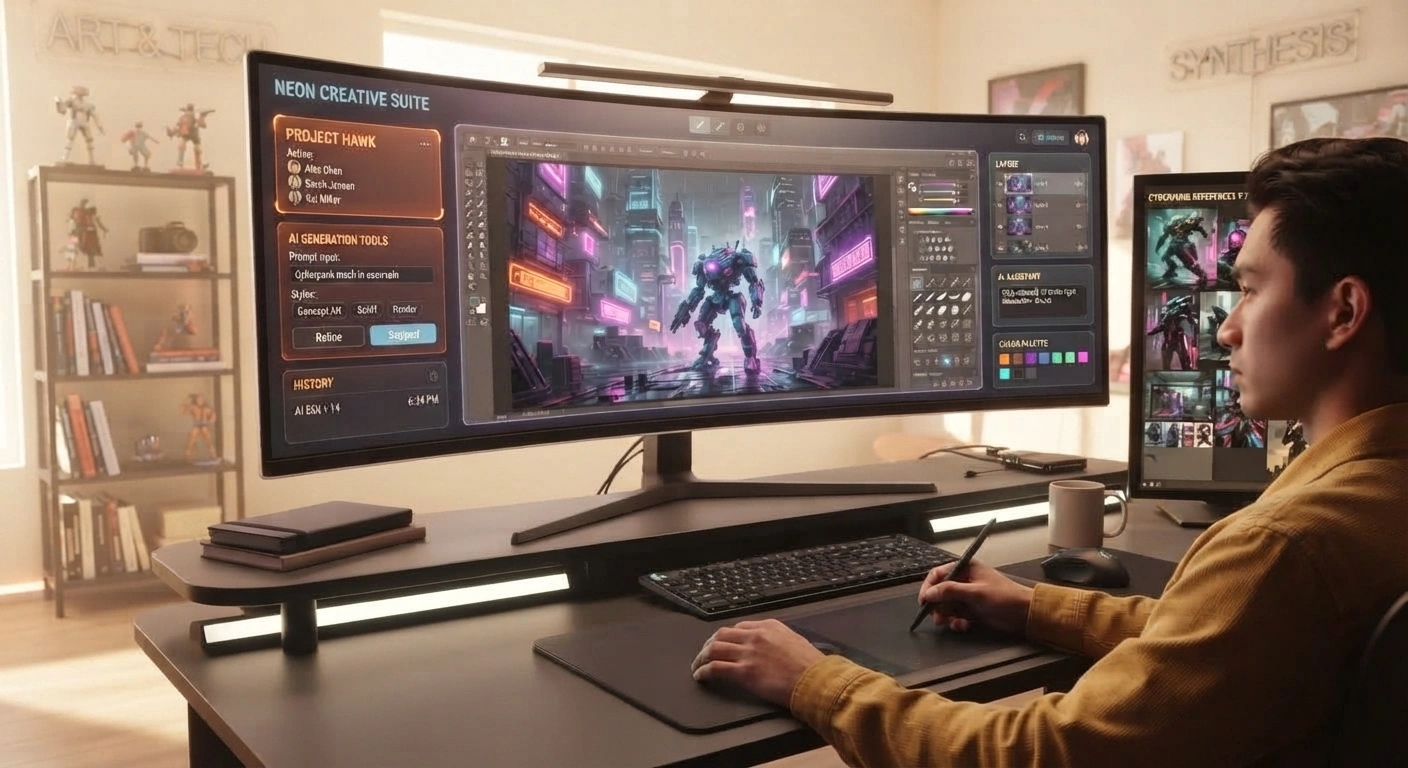
The digital art and design landscape has undergone a radical transformation, shifting from entirely manual illustration tools to collaborative, AI-driven creative suites. Whether you are a professional designer looking to accelerate your concept workflow, a marketer needing unique landing page visuals, or a hobbyist exploring digital expression, navigating modern generative platforms requires understanding which tools deliver the best balance of speed, model quality, and commercial flexibility.
As text-to-image generators saturate the market, finding platforms that offer intuitive browser access alongside robust customization features is critical for efficient content creation. This guide breaks down everything you need to know about OpenDream AI—from its underlying core technology and available model libraries to step-by-step creation tips and real-world design applications.
Understanding OpenDream AI: What It Is and How It Works
As creative workflows shift toward cloud-powered execution, exploring opendream ai art and the opendream ai generator ecosystem reveals a flexible, browser-based text-to-image solution designed to make generative design accessible without requiring high-end local hardware. It functions as an intuitive platform where users can translate textual prompts into detailed digital graphics.
Defining the Platform and Underlying Technology
Rather than requiring complex local installations of Python environments or heavy GPU setups, the platform operates entirely within the cloud.
- Browser-Based Accessibility: Users can access advanced generative capabilities directly through a web dashboard, lowering the barrier to entry for beginners while providing quick iteration speeds for professionals.
- Powered by Open-Source Architecture: Under the hood, the system builds upon powerful open-source diffusion models like Stable Diffusion, leveraging deep learning architectures to interpret semantic strings and map them into rich visual latent spaces.
- Text-to-Image Mechanics: By parsing token weights, styles, and descriptive modifiers, the engine iteratively refines random noise into coherent, high-resolution artwork that matches the user’s intent.
Key Features and Available Models on OpenDream
As users explore text-to-image software, having access to specialized model architectures and structured workflows dictates how versatile a platform can be. The opendream ai generator stands out by integrating multiple foundational models alongside user-friendly design utilities, catering to both casual creators and professional marketers.
Exploring Specialized AI Models and Styles
Different creative projects demand vastly different visual aesthetics, ranging from crisp corporate photography to stylized character design.
- Model Variety (opendream AI models): The platform provides access to distinct engines like Dreamlike Photoreal 2.0 for lifelike imagery, Dreamlike Anime 1.0 for Japanese animation aesthetics, Stable Diffusion 2.1 for flexible composition, and Deliberate for uninhibited artistic experimentation.
- Tiered Access: While free users can experiment with foundational models, paid subscribers unlock the full suite of specialized checkpoints and parallel generation queues to speed up project pipelines.
Streamlining Workflows with Templates and Commercial Rights
Beyond raw model generation, efficiency and legal clarity are essential for professionals incorporating AI assets into commercial campaigns.
- Customizable Template Galleries: Rather than starting from a blank prompt box, users can utilize pre-built layout presets tailored for social media banners, marketing materials, and product mockups.
- Commercial Usage Rights: The platform explicitly grants users full ownership and commercial rights over their generated artwork, allowing businesses and freelancers to monetize assets without legal restrictions.
Step-by-Step Tutorial: How to Use OpenDream AI Art Generator
Mastering generative design tools requires moving past trial and error into structured, repeatable workflows. Transitioning from a blank prompt box to commercial-ready assets involves understanding account setup, prompt anatomy, and configuration settings.
Setting Up Your Workspace and Account
Getting started on the platform is streamlined for fast execution without complex local dependencies.
- Account Registration: Sign up via email, Google, or Discord credentials on the browser dashboard. The free tier provides a daily credit allowance to test out generation features without an upfront financial commitment.
- Project Organization: Establish dedicated project folders from your dashboard to manage campaign assets, blog header images, or concept variations efficiently.
Crafting High-Converting Prompts and Adjusting Advanced Settings
The quality of your output depends heavily on how clearly you communicate structural intent to the underlying diffusion model.
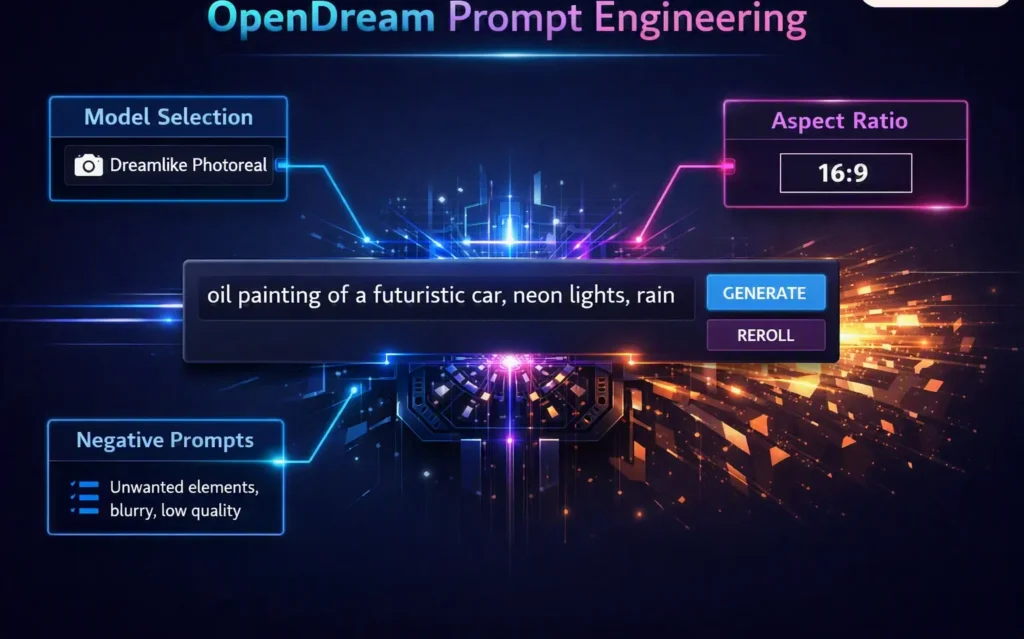
- Anatomy of a Strong Prompt: Front-load your prompts with the primary subject, followed closely by composition details, lighting, and style tokens (e.g., “cinematic portrait, dramatic rim lighting, sharp focus”).
- Optimizing Technical Parameters: Fine-tune your generations by selecting specific aspect ratios for social posts or banner headers, adjusting iteration steps for deeper detail refinement, and saving successful seed numbers to maintain visual consistency across brand assets.
Best Use Cases for OpenDream AI in Design and Marketing
Translating generative AI capabilities into tangible business value requires identifying where text-to-image software creates the highest return on investment. Leveraging opendream ai use cases allows creators, agencies, and lean startups to accelerate their production pipelines without expanding traditional design headcounts.
Rapid Concept Prototyping and Mood Boarding
Before committing hours to detailed vector work or high-end rendering, creative teams need quick visual alignment.
- Exploring Visual Directions: Generate dozens of stylistic variations in minutes to present distinct concepts to clients or stakeholders during early brainstorming sessions.
- Architectural and Character Layouts: Rapidly visualize spatial concepts, UI mood boards, or character archetypes for indie game development and digital storytelling projects.
Scaling Marketing Assets and Social Media Content
Consistent content creation is essential for maintaining digital visibility, yet designing fresh visuals daily can drain creative resources.
- Landing Page Hero Graphics: Produce eye-catching, tailored banner imagery that complements specific product launches or blog posts without relying entirely on generic stock photo libraries.
- Social Media Campaigns: Quickly iterate on platform-optimized aspect ratios to generate engaging post backgrounds, promotional ad visuals, and brand-aligned creative assets.
Final Verdict: Is OpenDream Still Worth Using?
Evaluating any creative software ultimately comes down to balancing its practical strengths against its limitations in a fast-moving AI landscape. The platform provides a reliable, accessible entry point for creators who want the power of open-source diffusion models without the headache of managing local installations or hardware dependencies.
Weighing the Pros and Cons for Your Workflow
Understanding where the platform excels—and where it faces competition—helps determine its place in your digital toolkit.
- Key Advantages: Generous free-tier credits, an intuitive browser-based interface, built-in model variety (Dreamlike Photoreal, Anime), and clear commercial usage rights make it an attractive option for hobbyists and lean marketers.
- Potential Limitations: While it simplifies generation, advanced users accustomed to local WebUI setups might miss deep pipeline control, custom ControlNet integrations, or LoRA training capabilities.
Who Benefits Most From OpenDream?
- Content Creators & Marketers: Ideal for those who need fast, commercial-ready hero images and social media assets without mastering complex prompt engineering environments.
- Beginners & Hobbyists: Perfect for individuals stepping into text-to-image creation who want a streamlined, friction-free way to explore generative art.
Frequently Asked Questions (FAQs)
What is OpenDream AI and how does it work?
OpenDream AI is a browser-based, cloud-powered text-to-image generator that translates natural language prompts into detailed digital artwork. It builds upon open-source diffusion models—such as Stable Diffusion and specialized checkpoints like Dreamlike Photoreal—using deep learning architectures to map textual tokens into visual latent spaces without requiring local GPU hardware.
Is OpenDream AI free to use?
Yes, the platform offers a accessible free tier that provides users with a daily allocation of generation credits. This allows hobbyists and creators to experiment with basic text-to-image generation, aspect ratios, and model styles before deciding whether to upgrade to a paid subscription for higher volume and parallel processing.
Can I use OpenDream AI artwork for commercial purposes?
Yes, OpenDream AI grants users commercial usage rights over the images they generate on the platform. This makes it a practical tool for freelancers, digital marketers, and small business owners looking to produce unique website banners, social media assets, and promotional graphics without strict copyright restrictions.
What models are available on OpenDream AI?
The platform supports a variety of specialized foundational models tailored to different creative styles. Popular options include Dreamlike Photoreal 2.0 for lifelike imagery, Dreamlike Anime 1.0 for Japanese animation aesthetics, Stable Diffusion 2.1, and Deliberate for versatile artistic and conceptual design work.
How do I write a good prompt for OpenDream AI?
To get the best results, structure your prompts by placing the primary subject first, followed by descriptive details regarding composition, lighting, camera angles, and specific style tokens (for example: “cinematic portrait, dramatic rim lighting, sharp focus”). Utilizing negative prompts and adjusting iteration steps can also help minimize artifacts and refine your final output.