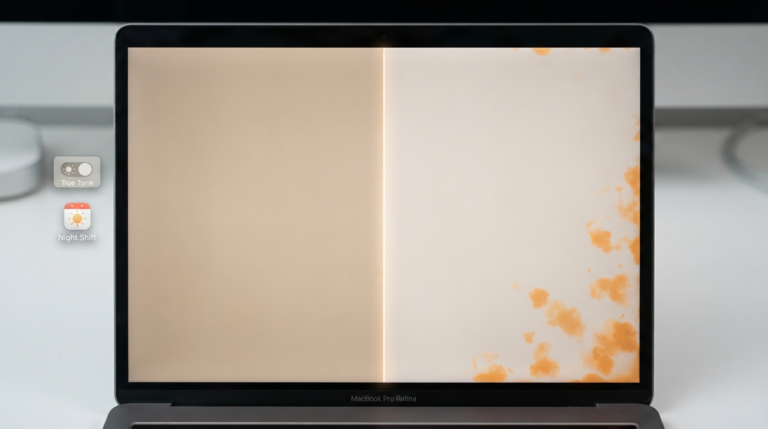
If you’ve noticed an odd band of light at the bottom of your MacBook’s screen, or the display flickering as you open the lid, “Flexgate” is probably the term you’ve landed on while searching for answers. It’s a real, well-documented Apple display issue — but there’s a lot of confusion online about which machines it actually affects, and MacBook Air owners in particular are often left unsure whether their laptop is at genuine risk or whether they’re dealing with something else entirely.
Here’s the honest picture: what Flexgate actually is, why it’s overwhelmingly a MacBook Pro problem, what the (real, but limited) MacBook Air risk looks like, and what to do if you’re seeing symptoms.
Quick Answer
Flexgate is a display cable defect that primarily affects MacBook Pro models from 2016 to 2018, caused by a fragile flex cable that wears out from repeated opening and closing of the lid. MacBook Air models are largely unaffected — the defective cable design was specific to that generation of Pro hardware. That said, isolated cases have been reported in some MacBook Air units, particularly 2018-and-later models that share a broadly similar display cable routing, though this is far less common and far less documented than the Pro issue. If your MacBook Air is showing stage-light symptoms, it’s worth getting diagnosed rather than assuming it’s the same defect as the Pro.
What Flexgate Actually Is
In 2016, Apple redesigned the MacBook Pro, moving the display’s flex cable so it wrapped around the display controller board instead of running through a stationary hinge cover, as earlier models did. That redesign introduced a cable that gets pulled and flexed every time the lid opens and closes. Over time — commonly after around two years of regular use — the repeated stress causes the thin cable to wear, crack, and eventually fail.
The name “Flexgate” combines the flex cable itself with Apple’s initial public silence on the issue, in the pattern of tech-scandal naming going back to “Bendgate.” iFixit is generally credited with first documenting and naming the problem publicly.
The “Stage Light Effect” — What It Actually Looks Like
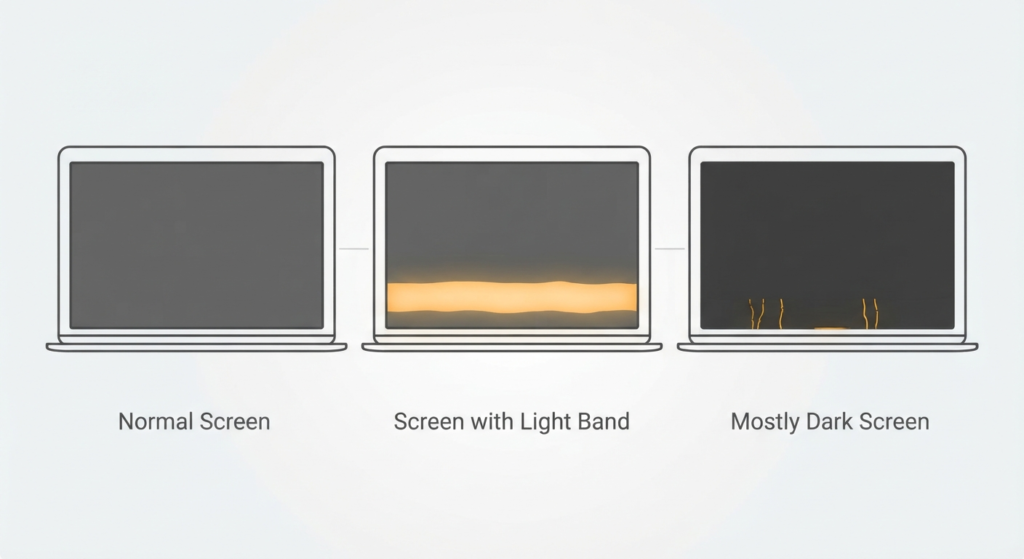
The defining symptom is a visual pattern nicknamed the “stage light effect”: uneven horizontal bands of brightness near the bottom (or in some documented cases, the top) of the screen, looking similar to stage lighting sweeping across a dark background. Some technicians describe it as resembling a venetian blind pattern.
The failure typically progresses in stages. First, only some of the cable’s connection lines wear out, producing the stage-light effect while the rest of the display still functions. As the cable degrades further, it can crack while remaining loosely connected — at this point, opening the lid past a certain angle can cause the display to go blank below the halfway point, then return to normal when the lid is repositioned. In the final stage, the cable fractures completely, and the backlight fails outright, leaving a dark screen that may still contain a faint, barely visible image if you shine a flashlight at it in a dark room.
Are MacBook Air Models Affected by Flexgate?
This is the question most Air owners searching for this topic actually want answered, and the honest answer is nuanced: mostly no, with real but limited exceptions.
The defective cable design was specific to the MacBook Pro’s 2016 display redesign. MacBook Air models generally use a different display cable construction, and the overwhelming majority of documented Flexgate cases — and Apple’s own repair program — apply exclusively to 13-inch and 15-inch MacBook Pro units from 2016 through 2018.
That said, some Air models introduced from 2018 onward share a display design broadly similar to the Pro’s, and isolated reports of stage-light-style symptoms have surfaced in later MacBook Air units, including some M1 models. These cases appear to be considerably rarer than the Pro’s well-documented failure pattern, and it’s worth being cautious about assuming a Flexgate diagnosis just because the term gets used loosely as shorthand by some repair shops for any display cable or backlight issue — a proper diagnosis should identify the specific failed component (display cable, backlight circuit, panel connection, or full display assembly) rather than just applying the Flexgate label by default.
MacBook Air M1 Flexgate: What to Know
If you own a MacBook Air M1 (2020) and you’re seeing symptoms — flickering tied to lid angle, uneven backlight, or a display that changes as you open or close the lid — it’s worth getting it looked at, but don’t assume the repair path or cost will mirror the well-known MacBook Pro version of this issue, since the underlying hardware and failure mechanism may differ. Repair costs for a MacBook Air display cable or backlight issue vary by region and whether it’s handled by Apple directly or a third-party repair shop, so it’s worth getting a specific quote based on an actual diagnosis rather than assuming a fixed price based on what MacBook Pro repairs typically cost.
Is This the Same as White Spots or Screen Spots?
Worth separating clearly: white spots or dark spots on a MacBook screen are a different symptom with different likely causes — commonly dead or stuck pixels, physical panel damage, or pressure marks from something pressing on the closed lid — rather than the horizontal banding pattern associated with Flexgate. If you’re seeing isolated spots rather than a band of uneven brightness at the top or bottom edge of the screen, it’s more likely a separate hardware issue than Flexgate specifically, and worth describing to a technician as “spots” rather than “stage lights” so the diagnosis starts from the right symptom.
What to Do If You’re Seeing Symptoms
- Note exactly how the symptom behaves — does it change with lid angle, is it a band at one edge, does repositioning the lid fix it temporarily? This detail speeds up diagnosis significantly.
- Check whether your specific model and year falls under Apple’s repair program — Apple has offered free repairs for eligible 13-inch MacBook Pro units from 2016-2018 specifically. MacBook Air is not covered under this program, since it’s not considered an affected model line.
- Get a proper diagnosis rather than accepting “Flexgate” as an assumed label, particularly for Air models, where the term is sometimes used loosely by repair shops for any display cable issue.
- If still under AppleCare+, start with Apple directly — coverage may apply regardless of whether the specific defect is officially branded as Flexgate.
Frequently Asked Questions
Does Flexgate affect MacBook Air?
Mostly no. Flexgate primarily affects MacBook Pro models from 2016-2018. MacBook Air models are largely unaffected, though isolated similar-looking cases have been reported in some 2018-and-later Air units, including some M1 models — these appear to be uncommon compared to the well-documented Pro issue.
What is the MacBook Pro stage light effect?
It’s the nickname for Flexgate’s main visual symptom — uneven horizontal bands of brightness near the top or bottom edge of the screen, caused by a worn or failing display flex cable, which can progress to partial or complete backlight failure over time.
Are white spots on a MacBook Pro screen the same issue as Flexgate?
Not typically. White or dark spots usually point to a different cause, such as pixel damage or physical pressure marks, rather than the horizontal banding pattern associated with Flexgate. Worth describing the symptom precisely when seeking a repair, since the diagnosis path differs.
How much does a MacBook Air M1 Flexgate-style repair cost?
It varies by region, repair provider, and the actual diagnosed component (cable vs. full display assembly), so it’s worth getting a direct quote rather than assuming Pro-model repair pricing applies.
Is Flexgate covered under Apple’s repair program for MacBook Air?
No — Apple’s official free repair program applies specifically to eligible 13-inch MacBook Pro models from 2016-2018. MacBook Air repairs, when needed, would go through standard Apple or third-party repair channels rather than that specific program.
Bottom Line
Flexgate is a real, well-documented MacBook Pro defect — but it’s largely, not entirely, a non-issue for MacBook Air owners. If your Air is showing stage-light symptoms, it’s worth a proper diagnosis rather than assuming the same cause, cost, or repair path as the Pro version of this problem, since the underlying hardware and Apple’s coverage policy both differ meaningfully between the two product lines.