A lot of the content ranking for this topic comes directly from companies selling the exact mouse being recommended — which doesn’t make the advice wrong, but it does mean some of the specific numbers floating around (“reduces nerve pressure by 32%,” “symptom relief within two weeks”) should be read as marketing claims from an interested party, not independently verified clinical findings. What follows sticks to the genuinely well-established ergonomic principles, honest product trade-offs, and a clear line about where a mouse purchase ends and an actual medical conversation should begin.
An Important Note Before Anything Else
This article covers ergonomic equipment and general wrist-positioning principles — it isn’t medical advice, and a mouse alone doesn’t diagnose or treat carpal tunnel syndrome. If you’re experiencing numbness, tingling, or pain that persists or worsens, the Mayo Clinic’s guidance is worth reading directly, and a doctor or occupational therapist is the right source for an actual diagnosis and treatment plan — an ergonomic mouse is reasonably understood as a supportive tool alongside that guidance, not a replacement for it.
Why Standard Mice Contribute to Wrist Strain
A conventional flat mouse forces your forearm into full pronation — palm facing straight down toward the desk — for hours at a stretch. This position, combined with the sideways wrist bend (ulnar deviation) needed to reach a mouse positioned beside a standard keyboard, is the combination most commonly implicated in mousing-related wrist strain. The general engineering logic behind every ergonomic mouse design covered below is the same: reduce pronation, reduce ulnar deviation, or both.
The Three Real Design Categories
Vertical Mice: The Most Common Recommendation
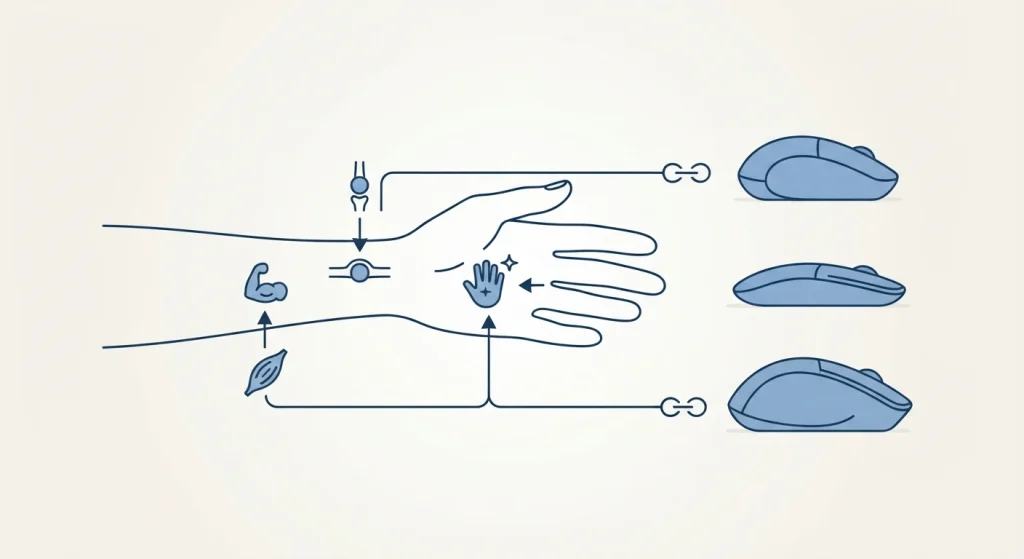
Vertical mice rotate the hand into something closer to a natural handshake position rather than a flat, palm-down grip. This is the most widely recommended and most widely available ergonomic mouse category, with real options across a broad price range: the Logitech MX Vertical sits at the premium end with a 57-degree angle specifically designed around this handshake position, the Evoluent VerticalMouse 4 is another long-standing, well-regarded option in the same category, and budget vertical mice from brands like Anker and ProtoArc offer the same core angled-grip concept at a considerably lower price point. Angle varies by model — some, like the Contour UniMouse, offer an adjustable angle rather than one fixed position, letting you dial in the degree of rotation rather than committing to a manufacturer’s single preset angle.
Trackball Mice: A Genuinely Different Trade-Off
Rather than moving the whole hand and wrist across a surface, a trackball stays stationary while your thumb or fingers roll the ball to move the cursor — eliminating the sweeping wrist motion entirely. This isn’t automatically the better choice for everyone, though: several users report that trackballs still require keeping the palm relatively flat against the device, which can feel counterproductive for someone specifically trying to avoid that flat-palm position. This is genuinely a “some people love it, others don’t get along with it at all” category, and it’s worth trying before fully committing, if possible, rather than assuming it will work universally.
Centered Rollerbar Devices: For Pain That’s Spread Beyond the Wrist
Products like the Contour RollerMouse Red take a different approach entirely — the device sits centered in front of the keyboard rather than off to one side, controlled with a rollerbar rather than being picked up and moved. The specific problem this addresses is lateral reach — the sideways stretch to a side-mounted mouse that can contribute to shoulder and upper-back strain, not just wrist strain. If discomfort has spread beyond just the wrist into the forearm, shoulder, or neck, this category targets a genuinely different mechanical cause than a vertical mouse does, and it’s worth understanding that distinction rather than assuming any “ergonomic mouse” addresses the same problem.
What Actually Matters More Than Which Mouse You Buy
Pointer Speed and Movement Source
If your cursor moves with tiny flicks of the wrist because your pointer sensitivity is set very high, lowering it so you can move the mouse using your whole forearm — pivoting from the elbow rather than the wrist — reduces the specific repetitive motion most associated with strain, regardless of which mouse shape you’re using.
Wrist Rests: A Genuinely Counterintuitive Point
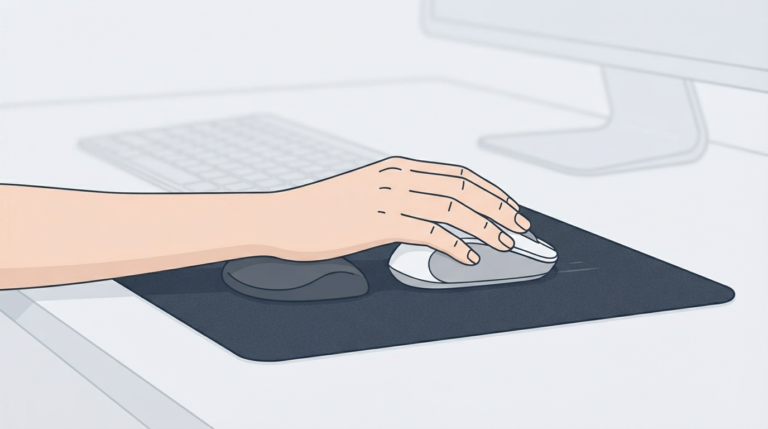
This is worth knowing because it runs against common assumption: resting your wrist on a static wrist rest while actively moving the mouse can compress the carpal tunnel from underneath, rather than relieving pressure the way the product name implies. The more commonly recommended approach is keeping the wrist floating and unsupported while actively mousing, reserving a wrist rest (if used at all) for brief pauses between active movement rather than continuous contact during use.
Regular Breaks
Short, frequent breaks — even brief ones every 20 minutes or so, dropping the hand to your lap and gently opening and closing the fist — are a consistently recommended part of general RSI prevention guidance, independent of which specific mouse you’re using.
Matching the Device to Where the Discomfort Actually Is
| Where the discomfort is | Category worth trying first |
|---|---|
| Wrist only | Vertical mouse |
| Wrist plus forearm twisting sensation | Vertical mouse with adjustable angle |
| Spread into shoulder or neck | Centered rollerbar device |
| Preference for eliminating wrist-sweeping motion entirely | Trackball (try before committing) |
A Note on Related Desk Ergonomics
A mouse is one piece of a broader desk setup, not the whole picture. If you’re evaluating wrist and hand comfort at your desk more broadly, it’s worth looking at complementary equipment too — our coverage of the BadSeed Tech Carpio gliding wrist rest covers a genuinely different approach (a wrist support that moves with your hand rather than staying fixed), and our Riser Desk guide covers the broader desk-height side of the same overall ergonomics question.
Frequently Asked Questions
Will a vertical mouse cure my carpal tunnel syndrome?
No single product should be expected to cure a medical condition — a vertical mouse is a supportive ergonomic tool that may reduce certain strain-contributing hand positions, but actual diagnosis and treatment of carpal tunnel syndrome is a medical question for a doctor or occupational therapist, not something a mouse purchase resolves on its own.
Are trackball mice better than vertical mice for wrist pain?
Neither is universally better — they target the problem differently. Vertical mice reduce pronation by rotating the hand; trackballs eliminate the wrist-sweeping motion but generally keep the palm flatter. Which fits better is genuinely individual, and trying one before fully committing is reasonable if possible.
Do I need to spend a lot of money on an ergonomic mouse?
Not necessarily — budget vertical mice from brands like Anker apply the same core handshake-angle concept as considerably pricier options. Fit and consistent use of correct positioning generally matter more than price alone.
Should I use a wrist rest with my ergonomic mouse?
Be cautious about resting your wrist on it continuously while actively moving the mouse, since this can compress the carpal tunnel from below. Many ergonomics guides suggest keeping the wrist floating during active use rather than resting it throughout.
When should I see a doctor instead of just buying a new mouse?
If numbness, tingling, or pain persists, worsens, or interferes with sleep or daily tasks, that’s a reasonable point to involve a doctor rather than relying on equipment changes alone — an ergonomic mouse is a supportive measure, not a diagnostic or treatment substitute.
The honest starting point here isn’t “which mouse is best” — it’s matching the equipment to where your discomfort actually shows up, treating pointer speed and movement habits as seriously as the mouse shape itself, and knowing clearly where a product purchase ends and an actual medical conversation should begin.