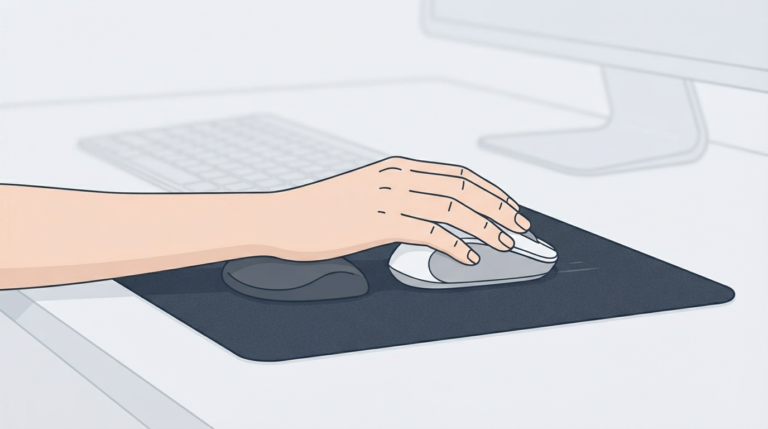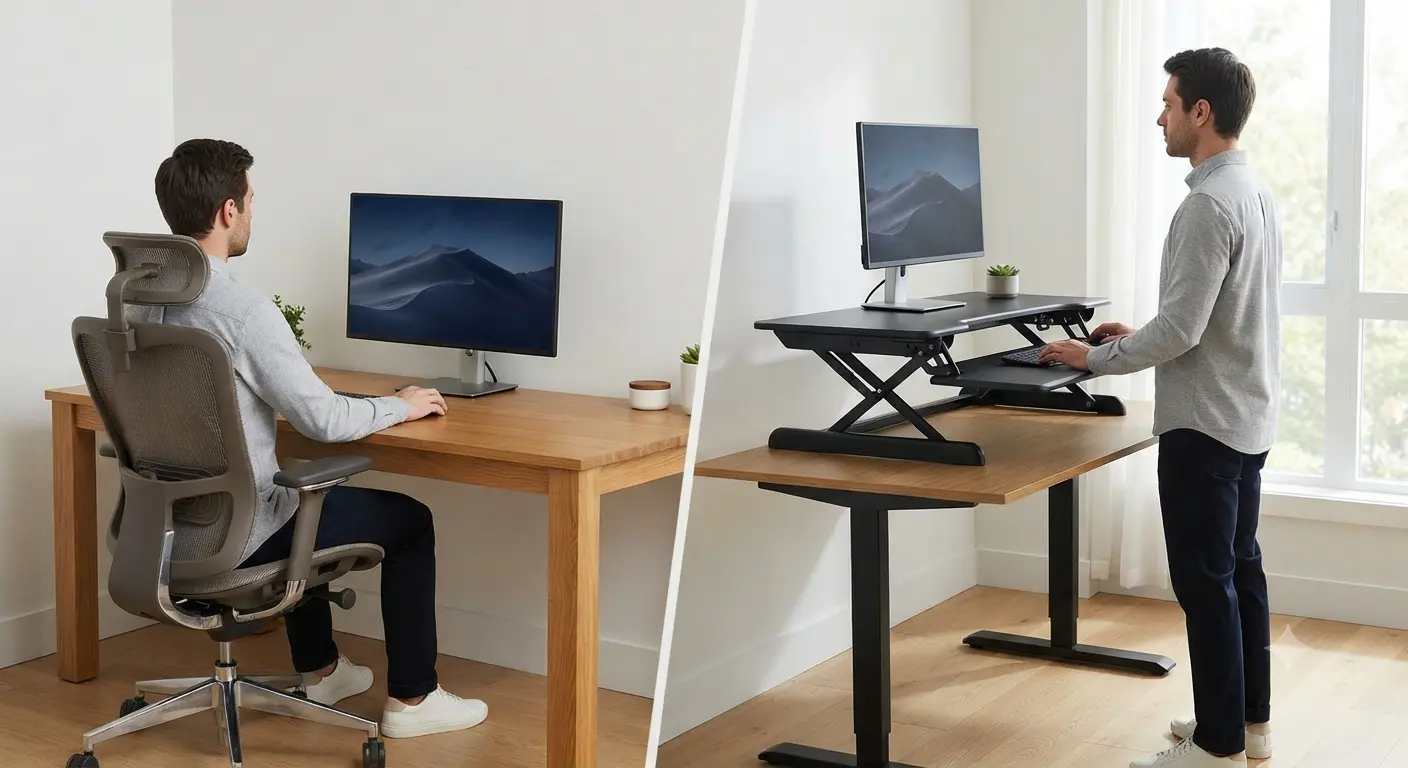
For years, I thought upgrading my workspace meant buying a completely new desk.
Like many people working from home, I spent entire days sitting in front of a monitor, telling myself I’d stand up “after finishing this task.” Hours passed, my shoulders tightened, my neck became stiff, and I realized the problem wasn’t my chair, it was how little I moved during the day.
Replacing my desk wasn’t practical. It was expensive, time-consuming, and honestly unnecessary. That’s when I started researching riser desks, also known as standing desk converters.
What surprised me wasn’t just how simple the concept was, but how effectively it bridges the gap between staying comfortable and keeping the furniture you already love. This guide will walk you through exactly what these tools are, how their mechanisms work, and how to choose the right one for your daily workflow.
What Is a Riser Desk?
A riser desk—frequently referred to as a standing desk converter or sit-stand workstation—is a height-adjustable platform designed to sit directly on top of your existing office furniture. Rather than replacing your entire desk, a riser brings the best of both worlds: it allows you to easily transition between sitting and standing postures without disrupting your computer, monitor, keyboard, or desktop accessories.
Understanding the Terminology
When researching workspace ergonomics, you will encounter several interchangeable terms describing this exact product category:
- Standing Desk Converter: Highlights the device’s primary function of converting a traditional sit-down desk into a standing station.
- Sit-Stand Workstation: Emphasizes the flexibility of alternating between two ergonomic positions throughout the day.
- Height-Adjustable Platform: Focuses on the physical mechanism that raises your work surface to various vertical levels.
How It Transforms Your Space
By placing a riser on your current desktop, you instantly create a multi-level operational zone. It changes how you interact with your office setup without requiring a complete room overhaul.
When you feel sluggish or want to alleviate pressure on your spine, you simply engage the adjustment mechanism to elevate your monitors and input devices to proper eye and elbow levels.
When you are ready to sit back down, it lowers smoothly back into place. This preserves your comfortable chair posture without ever requiring you to unplug cables or rearrange your office gear.
How Riser Desklifts Work: Core Adjustment Mechanisms
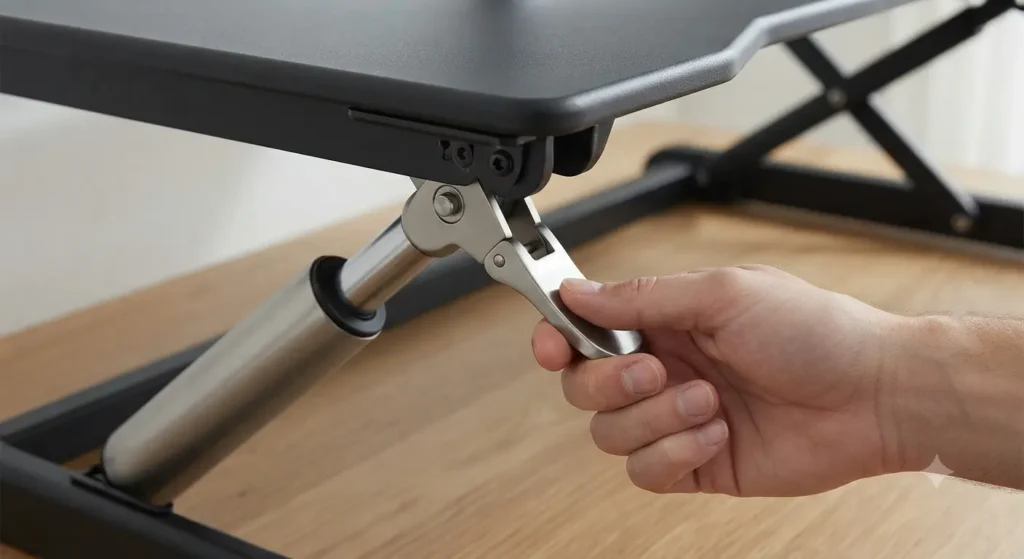
Understanding the mechanics behind a riser desk helps you choose a model that fits your physical routine and workspace needs. Not all converters lift the same way, and the underlying lifting system dictates how smooth, quiet, or effortless your transitions will be.
Here are the four primary mechanisms used in modern desk risers:
- Gas Spring (Pneumatic) Lifts: Utilizing a pressurized cylinder system, these risers allow you to squeeze a hand lever and gently guide the platform up or down with minimal physical effort. They are popular for their quiet operation and smooth fluid motion.
- Manual Levers and Locking Slots: These budget-friendly models use spring-assisted or notched frames where you manually lift the platform and lock it into pre-set height slots. They require a bit more physical lifting assistance but offer great stability.
- Crank Handles: Featuring a mechanical spinning crank, these units allow for precise height adjustments. While slower to operate, they handle heavier monitor arrays exceptionally well without requiring electricity.
- Electric and Motorized Risers: Powered by an integrated motor, these converters raise and lower at the push of a button. They are ideal for users who change positions frequently or those with physical limitations that make manual lifting difficult.
Mechanism Comparison Summary
| Mechanism Type | Effort Level | Adjustment Speed | Best Suited For |
| Gas Spring | Low | Fast & Smooth | Everyday remote workers wanting easy transitions |
| Manual Slot | Moderate | Moderate | Budget-conscious setups and infrequent position changes |
| Crank Handle | Low to Moderate | Slow | Heavy equipment requiring precise height control |
| Electric Motor | None (Push-button) | Fast & Consistent | Users needing seamless, effortless automation |
Key Types and Formats of Desk Risers
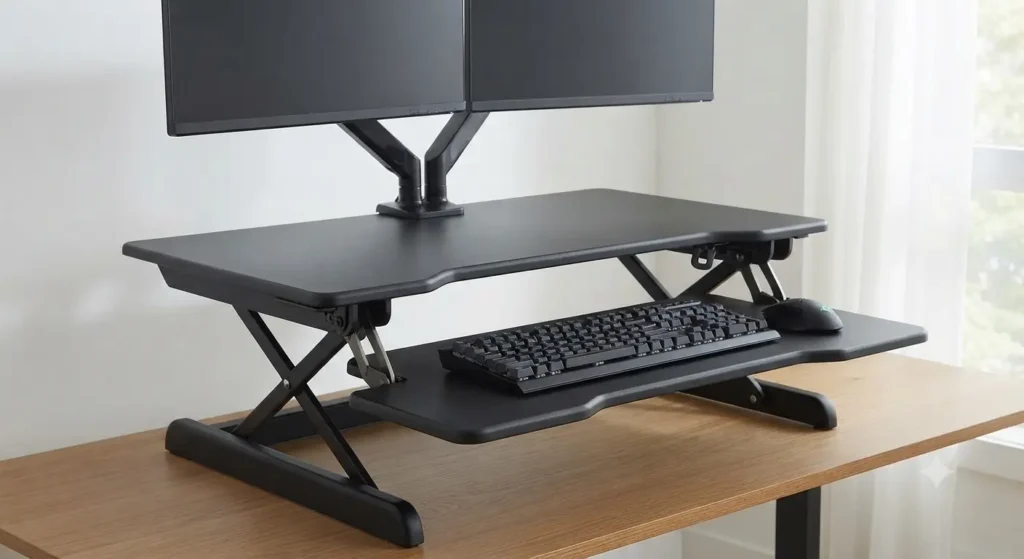
When shopping for a standing desk converter, you will quickly notice that one size does not fit all. Different office setups, available desk space, and monitor configurations require specific structural designs.
Choosing the right physical format ensures your equipment remains stable and your workspace stays functional.
Common Riser Configurations
- Two-Tier Workstations: The most popular ergonomic design featuring an upper platform for your monitors and a lower, integrated tray for your keyboard and mouse. This keeps your wrists at a natural angle while standing.
- Single-Surface Platforms: A minimalist, flat board that holds both your monitor and input devices together on one continuous plane. It offers a cleaner aesthetic but lacks tiered height separation.
- Corner Desk Converters: Specially angled, triangular units engineered to fit neatly inside L-shaped or modular office desks, maximizing unused corner space.
- Compact and Portable Risers: Lightweight, smaller-footprint models designed for single laptops, tight spaces, hybrid workers, or shared office environments.
Riser Formats at a Glance
| Format Type | Primary Design Feature | Ideal Use Case |
| Two-Tier | Separate monitor shelf and lower keyboard tray | Traditional desktop setups requiring correct ergonomic wrist posture |
| Single-Surface | Unified flat platform for all devices | Minimalist workspaces or single-laptop users |
| Corner Unit | Angled, wedge-shaped frame | L-shaped desks and corner office layouts |
| Compact / Portable | Lightweight, small-footprint build | Remote hybrid workers and cramped work areas |
Benefits of Using a Riser Desk
Transitioning to a dynamic workspace offers a range of physical and practical advantages that go far beyond simply changing your posture. By breaking up long hours of uninterrupted sitting, you can significantly improve your daily comfort and overall well-being.
Here are the core benefits of incorporating a desk riser into your daily work routine:
- Cost-Effective Ergonomics: Achieving sit-stand flexibility at a fraction of the price of a full motorized standing desk.
- Preserving Existing Furniture: Keeping a beloved solid-wood, custom-built, or heavy desk base that you already own and enjoy.
- Enhanced Health and Posture: Breaking up prolonged sitting cycles to reduce lower back strain, alleviate neck stiffness, and boost daily energy levels.
- Zero Complex Installation: Out-of-the-box readiness that requires minimal to no assembly, allowing you to transform your workspace in minutes.
Riser Desk vs. Full Standing Desk
Deciding whether to buy a desk riser or invest in a complete standing desk is often the biggest hurdle when upgrading a workspace. While both options achieve the ultimate goal of letting you alternate between sitting and standing, they cater to very different budgets, room layouts, and installation preferences.
Here is a side-by-side comparison to help you evaluate which option aligns best with your office setup:
| Evaluation Factor | Riser Desk (Standing Desk Converter) | Full Standing Desk |
| Upfront Cost | Highly budget-friendly; fraction of the price | More expensive due to full motorized frame and desktop replacement |
| Installation & Setup | Arrives mostly assembled; sits directly on your current desk | Requires unboxing, structural assembly, and cable routing |
| Workspace Footprint | Elevates on top of existing furniture; limits upper desk space | Replaces old desk entirely; offers a clean, unified surface |
| Stability at Max Height | Can wobble slightly if overloaded or extended aggressively | Generally rigid and rock-solid across all height levels |
| Ideal User Profile | Renters, remote workers keeping custom furniture, and budget-conscious buyers | Dedicated home-office renovators and those seeking maximum workspace stability |
The Best Standing Desk Converters at a Glance
Once you know how a riser works and what format fits your office space, choosing a reliable model makes all the difference. Based on performance, build stability, and user feedback, here are the top standing desk converters on the market:
- VariDesk Pro Plus 36 – Best Overall: A commercial-grade, weighted-base classic that arrives fully assembled with a smooth pneumatic lift and multiple height settings.
- FlexiSpot M7 – Best Value for Money / Electric Option: Features programmable memory presets, a spacious work surface, and an electric push-button motor for seamless daily adjustments.
- VIVO K Series – Best Budget Standing Desk Converter: Uses an ironing-board-style vertical lift mechanism that keeps the footprint compact, making it ideal for smaller or standard-sized office desks.
- Mount-It! Standing Desk Converter – Best for Small Spaces: A gas-spring model featuring a built-in slot for tablets and smartphones, offering smooth single-touch adjustments for tight workspaces.
- Ergotron WorkFit-T – Best Premium Choice: A heavy-duty, no-assembly-required workstation built for maximum long-term durability and rock-solid typing stability.
Adding a quick-reference comparison table at the end of your product recommendations is an excellent idea. It gives readers who prefer skimming a fast, scannable way to evaluate the top models side-by-side based on their specific needs and budget.
Here is the comparison table you can add right after your product list:
Quick Comparison: Top Standing Desk Converters
| Model | Best For | Key Feature | Price Range / Tier |
| VariDesk Pro Plus 36 | Overall Performance | Heavy-weighted base & dual-tier setup | Premium / Mid-High |
| FlexiSpot M7 | Value & Electric Power | Push-button motorized controls & memory presets | Mid-Range |
| VIVO K Series | Budget Buyers | Compact vertical lift & simple design | Budget-Friendly |
| Mount-It! Standing Desk Converter | Small Spaces | Gas-spring lift with built-in tablet slot | Compact / Mid-Range |
| Ergotron WorkFit-T | Long-Term Durability | Industrial-grade stability & zero assembly | Premium |
Common Buying Mistakes to Avoid
When shopping for a desk riser, it is easy to focus solely on the visual design or initial price tag. However, overlooking key technical specifications or practical limitations can quickly lead to buyer’s remorse.
Avoiding these common pitfalls ensures your new workstation remains functional, safe, and comfortable over the long term:
- Overloading Weight Capacities: Exceeding the maximum weight limit by stacking heavy multi-monitor arrays, heavy books, and equipment can strain the lifting mechanism and compromise stability.
- Ignoring Vertical Clearance and Desk Depth: Failing to measure how high the unit extends vertically or how far forward the platform swings outward when lifted, which can block overhead shelves or push you too close to your screen.
- Neglecting Keyboard Tray Ergonomics: Choosing a model with a fixed or poorly angled keyboard platform that forces awkward wrist positions, leading to long-term strain and discomfort.
- Forgetting Cable Management Slack: Overlooking the extra cable length required when the desk riser moves from a seated to a standing position, which can cause cords to snap, stretch, or pull equipment off the edge.
Frequently Asked Questions (FAQ)
Can a riser desk hold dual monitors?
Many mid-to-large-sized risers feature wide platforms designed to comfortably accommodate dual screens, provided you stay within the manufacturer’s specified weight limit, meaning you can easily manage a dual-monitor setup.
Will a desk riser damage my existing furniture?
Most quality converters feature rubber feet or protective padding on the bottom base to prevent scratches or scuffs on your desktop, ensuring that a desk riser will not damage your existing furniture.
How do I know what height riser I need for my height?
To determine the right height, you should look for a model that can elevate your monitors to eye level and your keyboard to an angle where your elbows rest at a comfortable 90-degree bend while standing straight.