Ask ten teachers why they use Nearpod and you’ll hear one thing more than any other: it’s the platform that stopped them from having to choose between “students watching a slideshow” and “students actually doing something.” That’s a real, specific problem in classroom tech — most tools are good at one or the other, not both. Nearpod’s whole reason for existing is closing that gap, and it’s now used in more than 75% of U.S. school districts and roughly 150 countries, which is a genuinely large footprint for a single edtech platform.
Here’s what it actually does day-to-day, what it costs right now (not the outdated pricing still floating around several review sites), and — the part most coverage skips — where a competitor genuinely beats it.
What Nearpod Actually Is
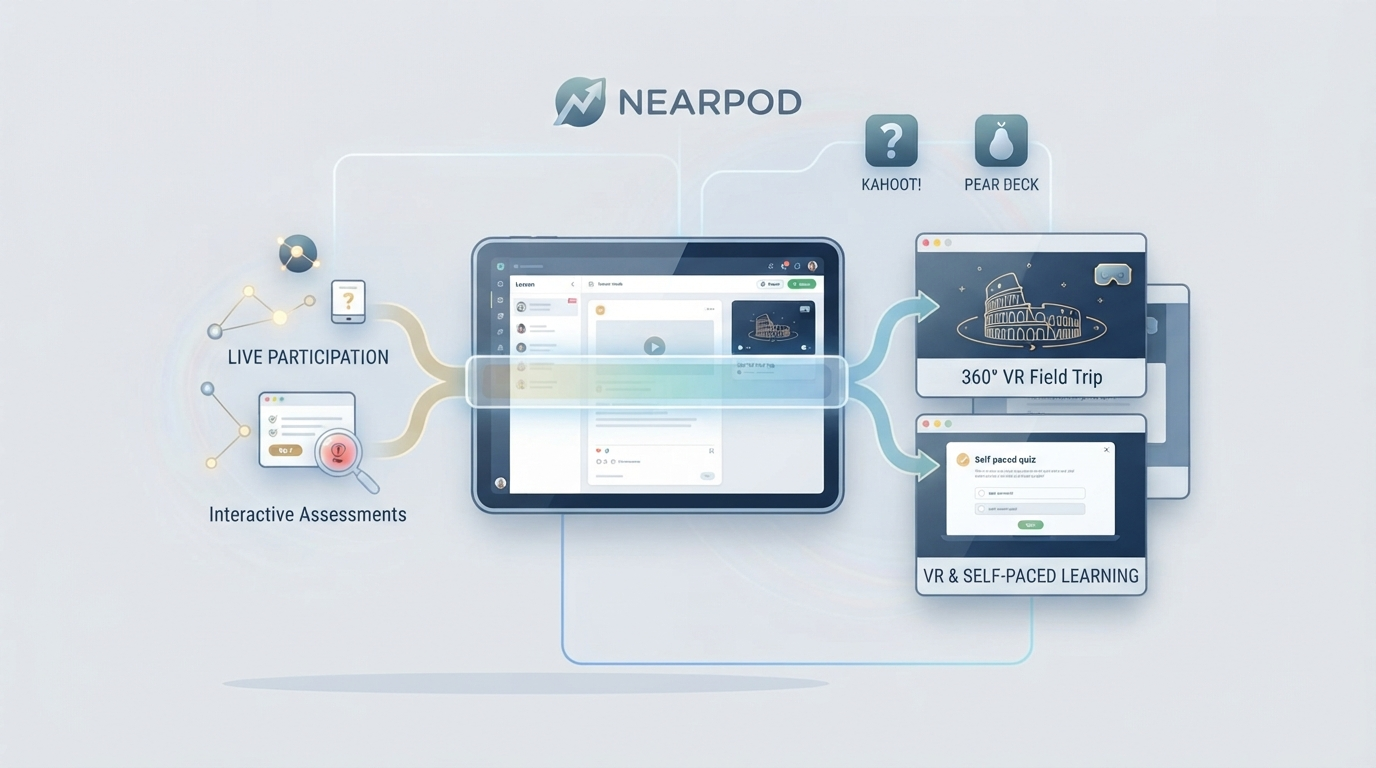
Nearpod turns a slide-based lesson into something students respond to in real time, not just watch. A teacher builds or imports a lesson, layers in quizzes, polls, open-ended questions, collaborative boards, or a VR field trip, then runs it either live (everyone moves through the slides together, teacher-paced) or self-paced (students work through it on their own timeline, useful for homework or absent-student catch-up). Students join with a simple class code on whatever device they have — no account creation friction on their end.
The part that actually differentiates it from “just another slideshow with quizzes bolted on” is the VR field trip library — 360-degree virtual excursions to places like the Great Barrier Reef or the Louvre, viewable on a phone, tablet, or actual VR headset if the school has them. It’s a genuinely distinctive feature neither of its two closest competitors offer.
Where It’s Actually Used, Beyond “In Class”
Opening a lesson
A quick poll or question at the start checks prior knowledge before new material is introduced — teachers report this sets a more active tone from minute one rather than easing in with passive review.
During direct instruction
Slides interleave content with short response prompts, so a 20-minute explanation doesn’t run as one uninterrupted block — students answer something every few minutes, which surfaces confusion in real time instead of at the test.
Small groups and stations
Self-paced mode lets one group work through a Nearpod activity independently while the teacher runs a different station live — a common structure in stations-based classrooms that a purely teacher-led tool can’t support.
Homework and review
Self-paced lessons double as structured homework, since students can replay embedded videos and revisit slides at their own pace rather than a static worksheet.
Nearpod Pricing in 2026 — the Actual Current Numbers
A lot of coverage of this tool is running stale figures. Here’s what’s currently verified across multiple independent pricing sources:
| Plan | Cost | Storage | Students per lesson |
|---|---|---|---|
| Silver | Free | 100MB | Up to 40 |
| Gold | $159/year | 1GB | Up to 75 |
| Platinum | $397/year | 5GB | Up to 90 |
Silver covers real classroom use — the interactive lesson library, live and self-paced modes, and core quiz/poll tools are all included free, not locked behind a paywall as a crippled trial. Gold and Platinum mainly buy more storage, a higher per-lesson student cap, and added support — worth it primarily for teachers building a large personal lesson library or working with bigger class sizes than 40. Schools and districts negotiate custom pricing outside these individual-teacher tiers.
Nearpod vs. Kahoot vs. Pear Deck: The Honest Comparison
This is the section most Nearpod explainers skip entirely, and it’s the one that actually helps a teacher decide anything.
| Nearpod | Kahoot! | Pear Deck | |
|---|---|---|---|
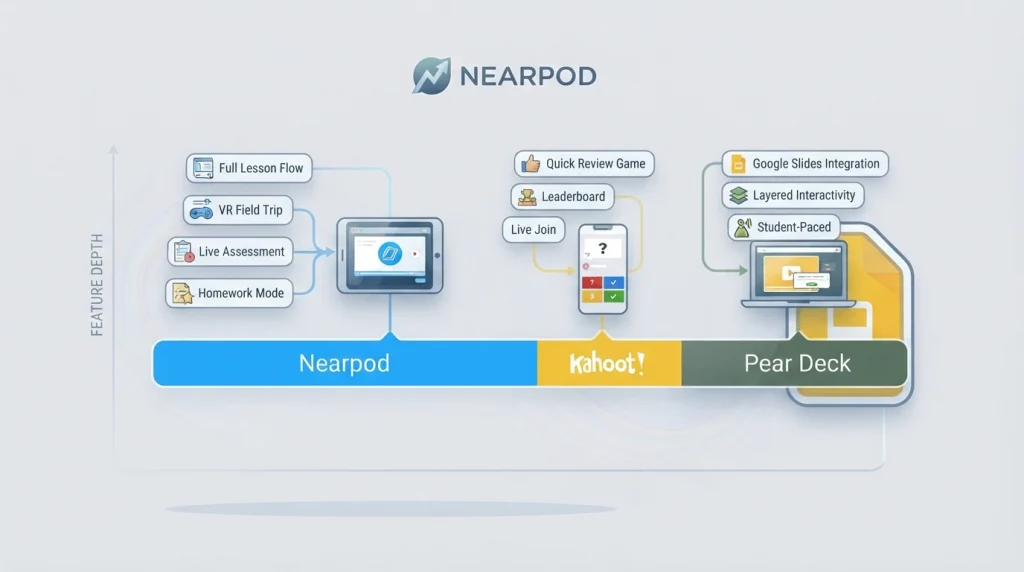
| Core strength | Full lesson delivery + assessment in one flow | Fast, competitive quiz energy | Native Google Slides integration |
| VR/immersive content | Yes — VR field trips | No | No |
| Best for | Full lessons, homework, small groups | Quick review games, warm-ups | Teachers already living in Google Slides |
| Async/self-paced mode | Yes | No meaningful async mode | Limited |
When Kahoot actually wins: if the entire need is a fast, high-energy review game — a leaderboard, quick-fire questions, five minutes at the start or end of class — Kahoot’s format generates a level of excitement Nearpod’s slower, structured flow doesn’t replicate, and its free tier covers that use case completely. The trade-off is depth: no slide-based lessons, no VR, no real homework mode.
When Pear Deck actually wins: for a teacher who already builds every lesson in Google Slides and wants interactivity layered directly into that existing workflow without switching platforms, Pear Deck’s tighter native integration is a smaller lift to adopt than moving a whole lesson library into Nearpod.
Where Nearpod is the more comprehensive pick: anyone who wants one platform covering lesson creation, live delivery, self-paced assignment, and real-time formative assessment reporting together — Nearpod is genuinely the most complete of the three, at the cost of a real learning curve the other two don’t have.
Real Limitations Worth Knowing Before You Commit
Free-tier storage is genuinely tight
100MB fills up fast once a teacher starts building a real lesson library with embedded media — this is the single most common complaint in independent reviews, not a hypothetical concern.
It depends on stable internet for every student
Nearpod’s real-time, connected format means a spotty school Wi-Fi network turns from an inconvenience into a lesson-blocking problem — worth testing during a free period before betting a full lesson plan on it.
Premade lessons need real customization
The built-in lesson library is large, but reviewers consistently note grade-level mismatches (some lessons pitched too advanced or too simple for the stated grade) that require actual editing before use, not just launching as-is.
There’s a genuine learning curve
File organization and lesson management inside the platform is reported as somewhat awkward by experienced users — this isn’t a five-minute-to-fluency tool, and budgeting real setup time before the first live lesson matters.
Data Privacy — the Question Most Coverage Skips Entirely
For a K-12 tool handling student data, this is worth addressing directly rather than assuming: Nearpod has an established, multi-year track record with no credible reports of data misuse, and its scale of adoption across public school districts reflects district-level procurement review that typically includes privacy vetting. That said, any platform layering in newer AI-personalization features introduces genuinely new privacy questions worth a school’s own IT/compliance review — a general track record isn’t a substitute for checking your specific district’s current data-handling agreement before wide rollout.
Getting Started Without Wasting Your First Week
- Explore a pre-built lesson before creating your own — this teaches the interface faster than starting from a blank slide.
- Test the free Silver tier fully before paying for anything — most classroom use cases genuinely fit inside it.
- Budget real customization time for premade lessons — don’t assume grade-level alignment out of the box.
- Run a connectivity test with a full class-size group before a graded lesson depends on it — the internet-dependency limitation above is the one most likely to cause a bad first impression if skipped.
The tools in this category all solve some version of the same problem — students who tune out a slideshow the moment it stops asking anything of them. Which one actually fits depends less on feature checklists like this one and more on which classroom rhythm a teacher already has: fast and competitive leans Kahoot, slide-native leans Pear Deck, and full-lesson-plus-assessment-in-one-place is where Nearpod earns its scale.