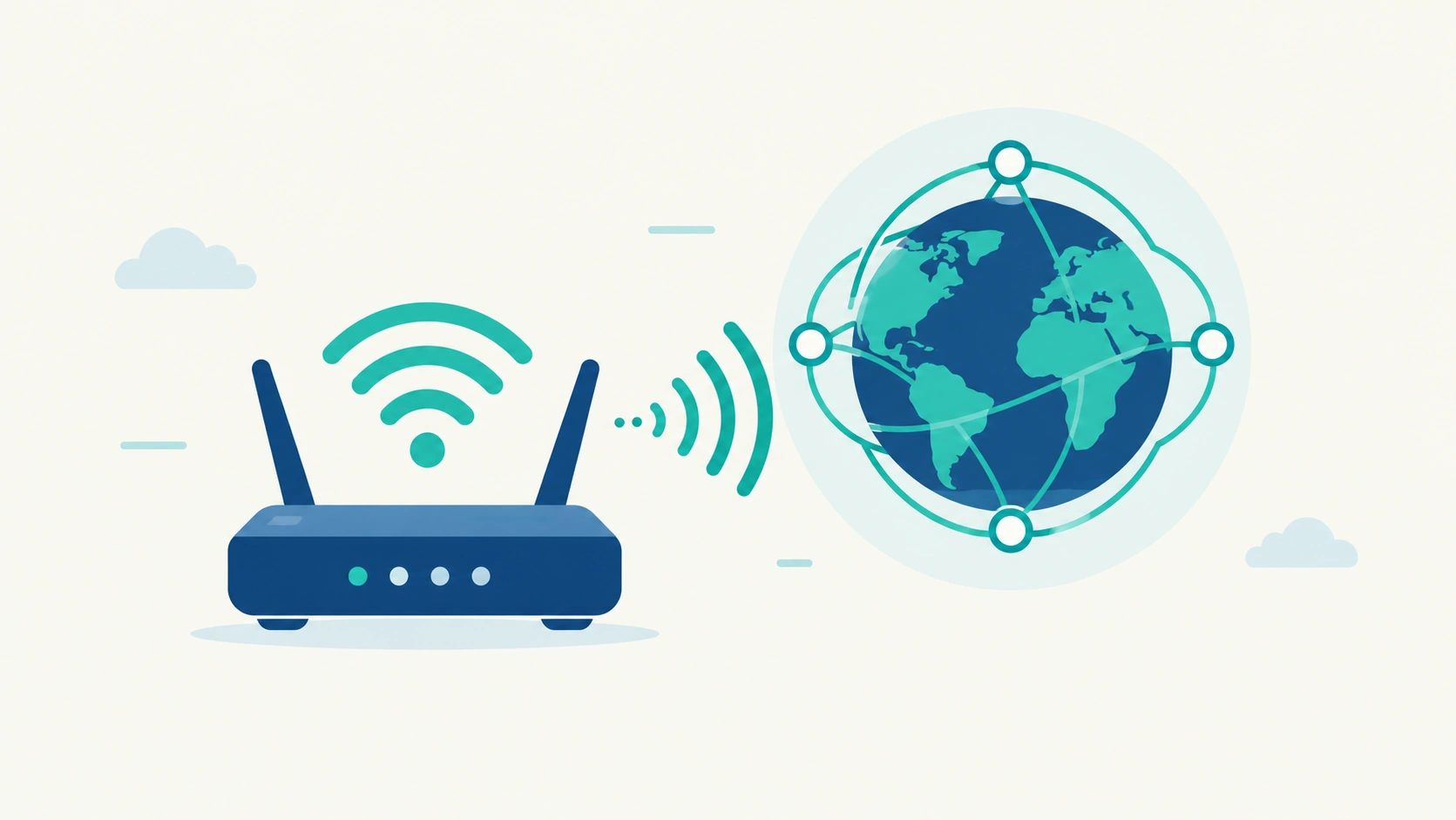
Most people ask this question at the exact moment it stops being theoretical: your phone shows full WiFi bars, the little icon looks perfectly normal, and yet nothing loads. That gap between “connected to WiFi” and “actually online” is the whole answer to whether WiFi and internet are the same thing — they’re not, and understanding exactly where they split is genuinely useful the next time your connection breaks in that specific, confusing way.
The Core Difference
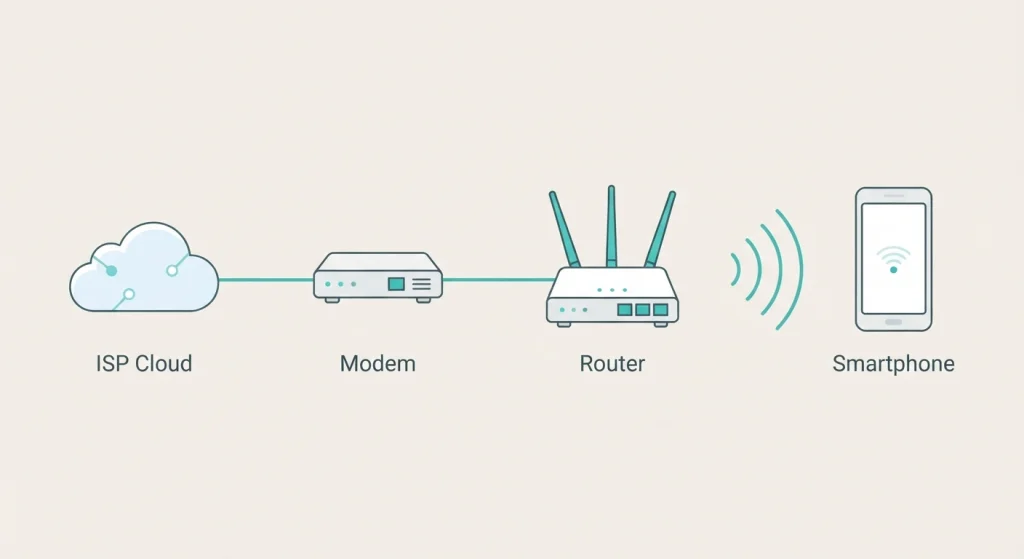
The internet is the actual global network — a massive, interconnected system of servers, data centers, and undersea cables that carries information between devices worldwide, owned by no single company or country. WiFi is just one method of reaching that network wirelessly, using radio waves to connect your device to a router, which then hands the connection off to a modem that talks to your internet service provider. WiFi gets you to the internet; it isn’t the internet itself.
Why “Connected to WiFi But No Internet” Actually Happens
This is the practical moment that makes the distinction matter, and it’s the part every generic explainer skips.
Your Router and Your Modem Are Doing Different Jobs
Your router creates the local WiFi network your devices join. Your modem is the separate device that actually communicates with your ISP to bring internet access into your home in the first place. A router can be working perfectly — broadcasting a strong, stable WiFi signal — while the modem behind it has lost its connection to the ISP entirely. Your phone happily joins the WiFi network (that part works fine), but there’s nothing beyond it to actually reach.
This Is Exactly Why the Fix Is Restarting Both, Not Just One
Restarting only your router doesn’t help if the modem is the actual point of failure, and vice versa — which is why the standard “unplug everything for 30 seconds” advice targets both devices together rather than either one individually.
You Can Have One Without the Other
WiFi Without Internet
You can absolutely set up a WiFi network with no internet connection behind it at all — this creates a local network (sometimes called a LAN) where devices on it can still communicate with each other, share files, or print to a shared printer, without any of that traffic ever reaching the wider internet. Airplane WiFi that only serves the plane’s internal entertainment system, or a home network temporarily without service, are both real examples of this.
Internet Without WiFi
You can also reach the internet with zero WiFi involved — an Ethernet cable plugged directly from your device into a modem or router does this, generally with a faster and more stable connection than wireless, since there’s no radio interference or signal distance to account for. Cellular data does the same thing through a completely different path, using cell towers instead of a home router at all.
What Actually Determines Your Speed
This is a genuinely common point of confusion worth clearing up directly: WiFi speed and internet speed are not the same number, and blaming one for the other sends a lot of people troubleshooting the wrong thing.
Internet Speed Comes From Your Plan
This is set by your ISP and your specific service tier — it’s the maximum ceiling your connection can ever hit, no matter how good your WiFi setup is.
WiFi Speed Depends on Local Conditions
Signal strength, the number of devices competing for the same connection, physical distance from the router, and interference from walls or other electronics all affect the WiFi portion specifically — which is why you can pay for a fast internet plan and still get poor speeds in a bedroom far from the router, or why running a speed test right next to the router gives a different number than testing from the far side of the house.
WiFi Standards and Frequency Bands, Briefly
Modern WiFi typically broadcasts across two or three frequency bands simultaneously: 2.4GHz (longer range, more wall penetration, but slower and more prone to interference from other household devices), 5GHz (faster, but shorter range), and increasingly 6GHz on newer WiFi 6E and WiFi 7 routers (fastest, but the shortest range of the three). Devices generally auto-connect to whichever band gives the best combination of speed and stability at their current location, though most routers let you select a specific band manually if you want to force a device onto one for a specific reason — like keeping a smart-home device on the more stable 2.4GHz band while your laptop uses 5GHz for speed.
A Quick Reference
| Internet | WiFi | |
|---|---|---|
| What it is | A global network of networks | A wireless method of connecting to that network |
| Who provides it | Your ISP | Your router (using internet from your ISP) |
| Can exist alone | Yes (via Ethernet, cellular) | Yes (as a local network with no internet) |
| What determines speed | Your service plan | Signal strength, distance, interference, device count |
Frequently Asked Questions
Can I have WiFi without paying for internet service?
Yes — a router can broadcast a WiFi signal creating a local network for file sharing and device communication even with no internet connection behind it, though you won’t be able to reach websites or online services through it.
Why does my phone show full WiFi bars but nothing loads?
This usually means your WiFi connection to the router is working fine, but something beyond it has failed — commonly the modem losing its connection to your ISP, or a DNS issue preventing your device from translating website addresses correctly even though the underlying connection is otherwise healthy.
Is 5GHz WiFi always better than 2.4GHz?
Not universally — 5GHz is faster but has shorter range and penetrates walls less effectively. 2.4GHz travels farther and through more obstacles but is slower and more prone to interference, making it a better fit for devices farther from the router that don’t need maximum speed.
Does a faster internet plan mean faster WiFi throughout my house?
Not automatically. Your internet plan sets the maximum ceiling, but actual WiFi speed in any specific spot in your home also depends on router placement, signal interference, and distance — a fast plan can still deliver slow real-world speeds in a poorly-covered room.
What’s the difference between a router and a modem?
A modem connects your home to your ISP’s network, bringing internet access into your house. A router takes that connection and distributes it locally — via WiFi or Ethernet — to your devices. Many home setups combine both into a single device, which is part of why the distinction gets blurry for most people.
The next time your WiFi icon looks perfectly healthy but nothing actually loads, that gap between “connected” and “online” is the entire concept from this article playing out in real time — and knowing which half of the chain actually broke is the difference between a useful fix and randomly restarting things until something works.