Most free AI image generators come with a catch — a watermark on every export, a waitlist before your first generation, or a signup wall that wants your email before you’ve even seen a sample result. Dezgo skips all three. It’s a browser-based tool that lets you type a prompt and get an image back in seconds, with no account required to start. That alone explains a good chunk of its popularity, but the more interesting part is what’s underneath: a genuinely large collection of AI models bundled into one simple interface, rather than a single model wearing a nice front-end.
Here’s what Dezgo actually does, how it compares to the alternatives you’ve probably heard of, and where its free-and-open approach runs into real limits.
Quick Answer
Dezgo is a free, no-signup AI image and video generator that gives you access to 100+ models — including Stable Diffusion variants, Flux, and newer additions — through one browser-based interface. It supports text-to-image, image-to-image, inpainting, upscaling, background removal, and (in beta) text-to-video. The free tier is genuinely usable, not just a trial; paid “Power Mode” generation exists for faster processing and premium models, priced per image rather than as a recurring subscription.
What Dezgo Actually Is
Dezgo launched as a straightforward Stable Diffusion interface and has since grown into something closer to a multi-model marketplace. Instead of committing to one AI model the way many generators do, Dezgo lets you switch between dozens of them — from general-purpose photorealistic models to ones fine-tuned specifically for anime, concept art, fantasy illustration, or logo design — often with a single click. The idea is that different models are genuinely better at different styles, and rather than forcing a single model to attempt everything, Dezgo lets you pick the one built for what you’re actually trying to make.
The platform runs entirely server-side. There’s no desktop app, no local install, and no GPU requirement on your end — you open the site in a browser, type a prompt, and the generation happens remotely.
Core Features
Text-to-image generation
The primary function: describe what you want, choose a model, and generate. You can adjust resolution, aspect ratio, sampling steps, and guidance scale (how closely the output follows your prompt) rather than being locked into fixed presets.
Image-to-image and structural guidance
Upload a reference image and Dezgo can generate variations that follow its structure — using tools like depth maps, edge detection, or pose references — while changing the visual style entirely. This is particularly useful for things like interior design mockups or character pose consistency, where you want the layout to stay fixed but the aesthetic to change.
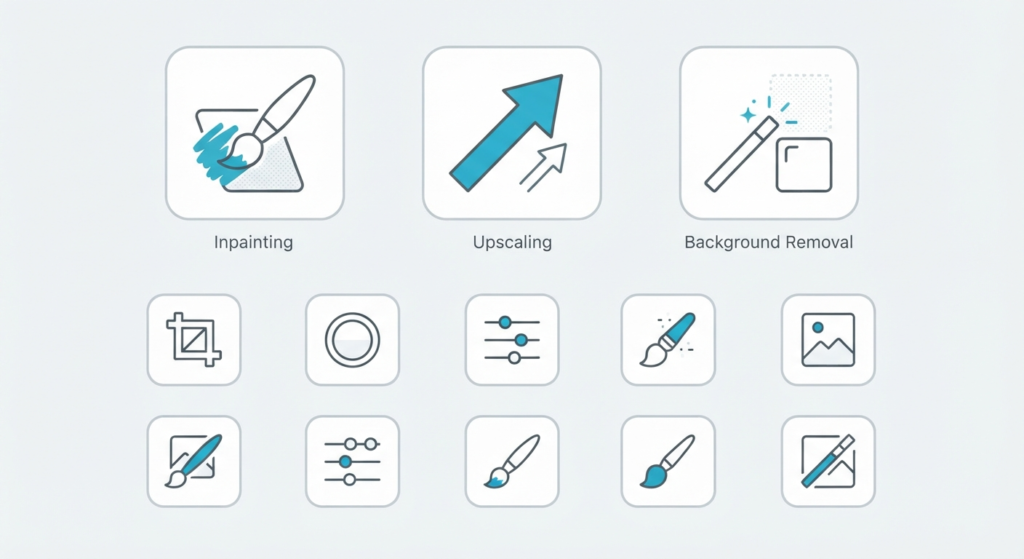
Inpainting
Paint over a specific part of an existing image and describe what should replace it, without regenerating the whole picture. Useful for removing an unwanted object or swapping a background element without starting over.
Upscaling
AI-based upscaling to sharpen low-resolution images or recover detail in older photos.
Background removal
A one-click tool for isolating the main subject of an image — handy for product photography or profile pictures without needing a separate editing tool.
Text-to-video (beta)
A newer, still-developing feature for generating short video clips from text prompts, alongside image-to-video conversion.
API access
For developers, Dezgo offers pay-as-you-go API access with no recurring monthly fee, datacenter-grade processing, and support for importing custom LoRA models — relevant for anyone building an app or workflow that needs automated image generation rather than manual one-off use.
Pricing: How the Free Tier Actually Works
Dezgo’s free tier isn’t a stripped-down trial — it includes real generation capability using open-source models like the base Flux and Stable Diffusion XL Lightning, without watermarks or a hard cap that locks you out after a few tries. Where cost comes in is “Power Mode”: faster processing, priority queue access, and premium models (higher-end proprietary options beyond the open-source base set) are billed per image rather than through a monthly subscription. This pay-per-image structure is worth noting specifically because it’s different from most competitors, which default to monthly plans regardless of how much you actually generate.
How Dezgo Compares to the Alternatives
It’s worth being upfront about the trade-off Dezgo makes: breadth over specialization. Bundled multi-model platforms rarely beat dedicated specialists at any single task. A few honest comparisons:
- Vs. Midjourney — Midjourney generally produces more polished, stylistically distinctive art for creative and illustrative use, but requires a subscription and (historically) a Discord-based workflow. Dezgo trades some of that polish for zero cost and no commitment.
- Vs. dedicated upscalers (like Topaz) — Purpose-built upscaling tools tend to recover more fine detail than a bundled feature inside a broader platform. Dezgo’s upscaler is a convenient add-on, not necessarily a replacement if upscaling is your primary need.
- Vs. single-model platforms generally — The advantage of Dezgo’s approach is flexibility: if one model doesn’t nail a particular style, switching models costs a click, not a new subscription.
The honest takeaway: Dezgo is a strong choice when you want to experiment across many models and styles without paying for each one separately, and a weaker choice if you need best-in-class results in one narrow specialty.
Who Dezgo Is Actually Good For
- Social media managers and content creators who need quick visuals across varied styles without managing multiple subscriptions
- Developers and small teams who want API-based image generation without recurring monthly costs
- Hobbyists and students who want to experiment with AI image generation without financial commitment
- E-commerce sellers who need quick background removal or product photo cleanup alongside general image generation
Frequently Asked Questions
Do I need an account to use Dezgo?
No. Dezgo is built specifically to work without signup — you can generate images immediately from the browser.
Is Dezgo actually free, or is that just a trial?
The free tier includes real, ongoing generation using open-source models, not a time-limited trial. Paid “Power Mode” is an optional add-on for faster processing and premium models, billed per image.
What AI models does Dezgo use?
Dezgo aggregates 100+ models, built primarily on Stable Diffusion and Flux, plus additional premium model options added over time. Different models are optimized for different styles — photorealism, anime, concept art, and more.
Can Dezgo generate video, not just images?
Yes, in beta. Text-to-video and image-to-video generation are available, though the platform is still primarily known for image generation.
Is Dezgo better than Midjourney?
Not for every use case. Midjourney tends to produce more distinctive, polished artistic output, but requires a subscription. Dezgo’s advantage is breadth and cost — access to many models for free, rather than one strong model behind a paywall.
Bottom Line
Dezgo’s appeal isn’t that it beats specialists at any one thing — it’s that it removes the two biggest friction points in AI image generation (cost and signup) while still giving you a genuinely wide set of models and tools to work with. For quick, varied, no-commitment image generation, it’s one of the more accessible options available. For polished, best-in-class output in one specific style, a dedicated specialist tool will likely still edge it out.