
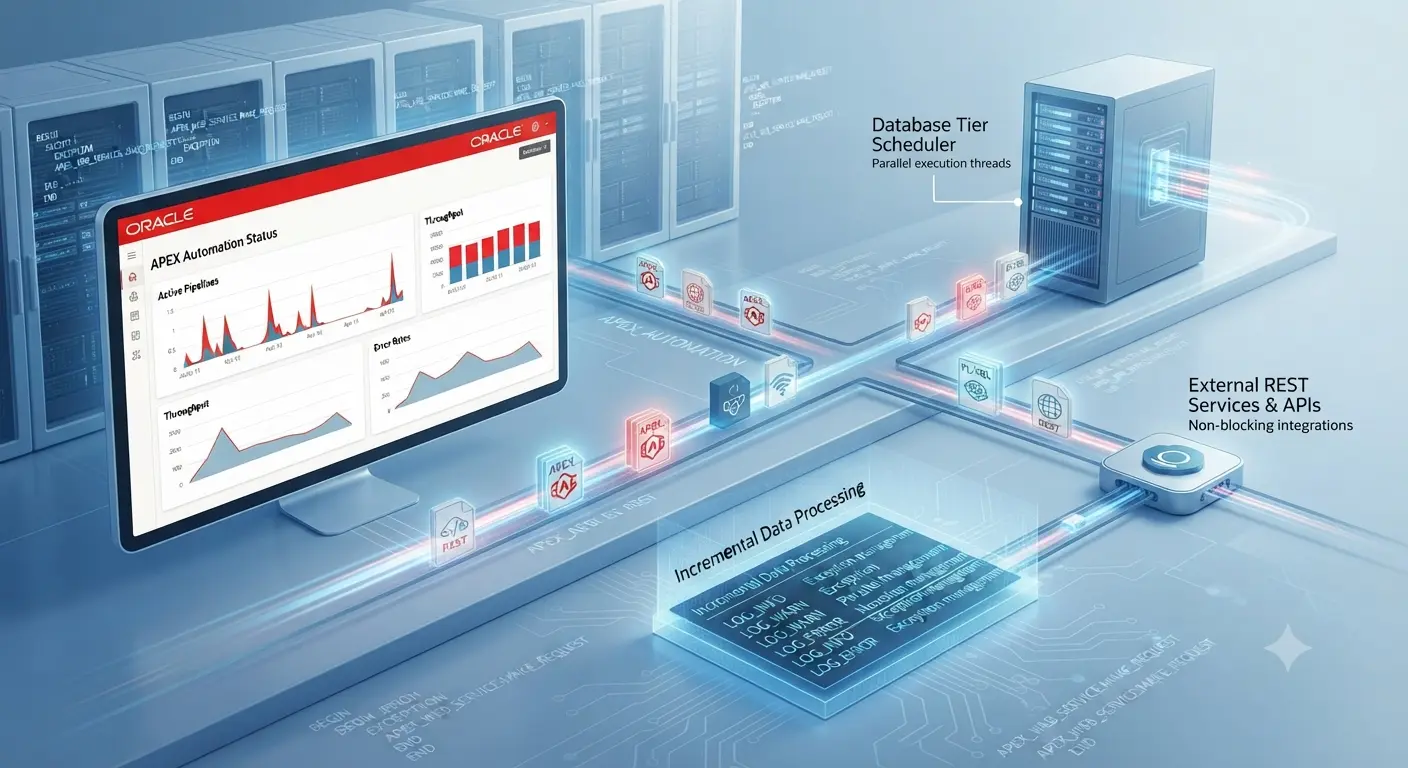
Enterprise application architectures increasingly demand robust, non-blocking asynchronous workflows to handle heavy data processing, scheduled synchronization, and automated alerting without degrading user experience. Modern low-code platforms have evolved far beyond simple user interface scaffolding, requiring deep programmatic control over backend operations and background queues.
Designing these mission-critical pipelines requires a firm grasp of database-tier scheduling versus application-level automation engines. Leveraging native frameworks efficiently ensures high throughput, scalability, and strict adherence to enterprise security and transactional boundaries.
Enterprise Background Processing Architecture & The Evolution of Asynchronous Execution
The transition from legacy database scheduler packages like DBMS_SCHEDULER to declarative, application-tier automation engines in Oracle APEX represents a massive leap forward for low-code architecture. Traditionally, developers relied on complex, tightly coupled database jobs that required extensive PL/SQL wrapper scripts to handle asynchronous tasks, making maintenance cumbersome and visibility poor across development teams. Modern APEX environments abstract these complexities, offering centralized management of background worker threads and poller frequencies directly within the builder interface.
Understanding how APEX manages these execution cycles under the hood is vital for high-concurrency enterprise deployments. When an automation rule fires, the engine initializes a structured system session context, executes configured query-driven or programmatic actions, and records detailed telemetry data. Evaluating when to leverage these declarative Shared Components versus custom procedural scheduler packages ensures that applications maintain optimal resource allocation without overwhelming the database’s resource consumer groups.
Designing Query-Driven Data Sources and Polling Mechanisms
Constructing reliable, high-performance background pipelines requires meticulous attention to how data is retrieved, filtered, and processed during each polling cycle. When designing query-driven automation rules in Oracle APEX, developers must carefully balance execution frequency against database resource consumption. Inefficient queries or poorly indexed tables can quickly introduce severe bottlenecks, leading to table locks, increased serialization wait times, and degraded overall database performance across transactional workloads.
To ensure seamless scalability, architects must implement precise optimization strategies and delta-state tracking patterns that minimize database overhead.
- Performance Optimization & Indexing: Because polling mechanisms execute repeatedly on a fixed schedule, the underlying SQL queries must be optimized for the cost-based optimizer. Developers should ensure that all columns utilized in WHERE clauses, join conditions, and sorting filters are backed by appropriate B-tree or bitmap indexes. Avoiding full table scans on high-volume operational tables prevents unnecessary I/O contention and ensures that background worker threads complete their execution windows rapidly.
- Handling Delta States and Incremental Processing: Processing an entire dataset during every single automation run is an anti-pattern that wastes compute resources. Instead, pipelines should leverage hash-based change detection, high-water mark tracking via sequential IDs, or explicit timestamp columns (such as updated_at > :last_run_timestamp) to isolate and process exclusively newly inserted or modified rows. This incremental approach keeps transaction logs lean and guarantees that runtime execution windows remain predictable as enterprise data volumes scale.
Advanced Programmatic Control via the APEX_AUTOMATION Package
While declarative Shared Components streamline standard background workflows, enterprise applications frequently require dynamic, event-driven execution control that only code-level orchestration can deliver. The APEX_AUTOMATION PL/SQL package provides developers with robust APIs to programmatically manage, invoke, and monitor background tasks directly from custom database packages, triggers, or application processes. This programmatic layer unlocks precise scheduling manipulation, conditional job triggering, and seamless integration with complex backend business logic.
Mastering this package ensures that administrators and developers can bypass manual builder constraints to execute automation rules precisely when data states demand it, maintaining absolute synchronization across distributed application modules.
- On-Demand Execution Syntax: To trigger a specific background automation rule outside its predefined schedule, developers can utilize the APEX_AUTOMATION.EXECUTE procedure within a PL/SQL block. By passing the required workspace parameters and the unique static identifier of the automation rule, the system forces an immediate execution queue cycle, allowing real-time processing of critical updates or data imports.
- Session Context and Security Constraints: Because background packages often execute outside an active HTTP request cycle, managing session boundaries is critical. Developers must explicitly initialize workspace and application context—such as setting the security group ID using WWV_FLOW_SECURITY.G_SECURITY_GROUP_ID or leveraging APEX administrative utility functions—to ensure that operations dependent on session state variables or schema-level privileges resolve successfully without throwing runtime authentication exceptions.
Enterprise Integration: REST APIs, Asynchronous Messaging, and Alerting Pipelines
Modern enterprise applications rarely operate in isolation; they function as interconnected nodes within a sprawling ecosystem of microservices, third-party APIs, and notification systems. When an Oracle APEX automation rule fires, it frequently needs to push processed data outward or trigger downstream services without locking the primary execution thread. Integrating non-blocking web services and scalable communication frameworks directly into your background tasks ensures that your application architecture remains fluid, responsive, and capable of real-time multi-system synchronization.
Designing these integration pipelines requires careful handling of payload constraints, error propagation, and message delivery guarantees to prevent external network latency from stalling internal database operations.
- Non-Blocking REST Calls: Utilizing the APEX_WEB_SERVICE package within automation loops allows applications to seamlessly communicate with external HTTP endpoints, webhooks, and SaaS APIs. Because network requests can introduce unpredictable latency or timeouts, developers must implement strict timeout configurations, utilize payload compression for large batch transfers, and wrap HTTP calls in robust exception blocks to prevent external API failures from crashing the entire background execution run.
- Dynamic Alerting Pipelines: Beyond system-to-system data exchange, automations often need to drive human-in-the-loop workflows via automated notifications. By integrating APEX template APIs (APEX_MAIL or workspace template engines) within your PL/SQL action blocks, you can construct conditional, highly personalized email alerts and batch reporting pipelines complete with dynamically generated BLOB attachments, ensuring stakeholders are instantly notified of critical data state changes.
Exception Management, Telemetry, and Custom Logging Frameworks
When deploying long-running background data pipelines and automated workflows in an enterprise environment, anticipating failures is just as important as writing the core business logic. Unhandled exceptions, network timeouts during REST calls, or sudden data constraint violations can cause background jobs to fail silently or enter error states that lock out subsequent scheduled runs. Implementing a robust, resilient exception management and telemetry framework ensures complete visibility and operational stability across your entire Oracle APEX application ecosystem.
Building this defensive layer requires a combination of native log interrogation and proactive custom error handling to maintain compliance and simplify root-cause analysis.
- Granular Exception Handling: Every PL/SQL action block within an automation rule must be wrapped in comprehensive exception handlers (BEGIN…EXCEPTION…END). By explicitly capturing runtime errors via standard indicators like SQLCODE and SQLERRM, developers can intercept failures locally, log the exact error state, and decide whether to abort the current loop iteration or roll back specific transactions without crashing the entire background thread.
- Telemetry and Custom Audit Trails: While APEX maintains internal execution log views (APEX_APPLICATION_EV_LOGS) to track status and execution duration, enterprise standards often demand custom, long-term auditing. Developers should interface with APEX diagnostic utilities while writing custom telemetry metrics—such as rows processed, execution start/end timestamps, and error codes—to dedicated custom schema tables, providing compliance officers and database administrators with a centralized dashboard for performance monitoring.
Frequently Asked Questions (FAQs)
As developers and administrators implement and scale background workflows using Oracle APEX automations, several recurring technical questions arise regarding session context, resource consumption, and error handling mechanisms.
How does Oracle APEX handle session context when an automation runs via the internal background poller instead of an active user HTTP request?
When an automation executes via the internal scheduler, APEX provisions a temporary, pseudo-database session context. It initializes the workspace ID, application ID, and a system-level security context, meaning operations relying on session state variables (like :APP_USER) will reflect system execution defaults or require explicit context passing via package calls.
What are the performance implications of using SQL Query data sources versus PL/SQL Function Return Bodies for large-scale enterprise automation queues?
SQL Query data sources are parsed and optimized natively by the database cost-based optimizer, offering superior performance and easier execution plan tuning. PL/SQL Function Return Bodies introduce context switching between the SQL and PL/SQL engines, which can degrade performance if processing multi-thousand-row datasets iteratively instead of utilizing bulk operations (BULK COLLECT / FORALL).
How can I programmatically intercept and handle execution failures to prevent an automation from locking out subsequent scheduled runs?
You should wrap your automation’s PL/SQL action blocks in comprehensive BEGIN…EXCEPTION…END blocks. By catching exceptions locally, logging the error details to a custom audit table using APEX_DEBUG, and handling the error state gracefully, you ensure the automation completes with a success status rather than throwing an unhandled exception that trips built-in safety lockouts.








One Comment
Comments are closed.