A messaging security agent is software that watches your messages — email, Slack, Teams, SMS, WhatsApp — as they arrive, and blocks phishing, malware, impersonation, and data leaks before anyone acts on them. The name also belongs to an older product, Trend Micro’s Exchange agent. And in 2026 there is a new wrinkle: the AI agents now living inside your chats can be tricked themselves.
Business conversation used to live in the inbox. It does not anymore. Approvals happen in Slack, vendor coordination happens in Teams, customers reach you on WhatsApp, and one-time codes and delivery updates arrive by SMS. Attackers followed the conversation, because that is where the trust is. A message inside your company chat feels safer than a cold email, so people let their guard down — and that is exactly what the newest attacks count on. A messaging security agent exists for this reality: protection that sits inside the message stream itself, not just at the email gate.
One Name, Three Meanings
Part of the confusion around this term is that it means three different things depending on who is using it.
The legacy product
In Trend Micro’s Worry-Free Business Security, “Messaging Security Agent” is a named module that protects Microsoft Exchange email servers. There is also an older enterprise meaning from the CA/Broadcom world, where messaging security meant signing and encrypting SOAP messages with WS-Security standards. Both are real, both are old, and neither is what most teams mean today.
The modern system
This is the meaning the rest of this guide uses: an AI-driven tool that monitors business messaging across email and chat apps, understands context and intent, and acts on threats in real time.
The architecture layer
Underneath the product label, a messaging security agent is really a set of capabilities working together: a gateway or API connection that sees the messages, identity checks that verify who is really sending, sandboxing that opens suspicious attachments somewhere safe, and remediation that can pull a dangerous message back even after delivery.
| Meaning | Era | What it protects | Example |
|---|---|---|---|
| Legacy product | 2000s–2010s | One Exchange server | Trend Micro’s Worry-Free module |
| Modern system | 2020s | Email plus every chat app | AI agents watching Slack, Teams, WhatsApp |
| Architecture layer | Ongoing | The message stream itself | Gateway, API monitoring, identity, sandboxing |
If you searched this term because you run Trend Micro’s product, the next section is for you. Everyone else can skip ahead to what the modern system does.
If You Mean Trend Micro’s Agent
What it is
Trend Micro’s Messaging Security Agent protects Microsoft Exchange servers. It scans email passing in and out of the Exchange mailbox store, as well as mail moving between the Exchange server and the outside world. Two limits matter: it installs only on Exchange servers, and each agent is managed individually rather than grouped. Trend Micro’s official documentation describes the module in full.
What it blocks
It reduces spam, blocks messages based on content rules, blocks or restricts messages with risky attachments, detects malicious URLs, and helps prevent confidential data from leaking out. That is the product, in one paragraph. How it differs from the modern agent in the rest of this guide is simple: it guards one mail server, while the modern agent guards every channel a team talks on.
The support questions people actually ask
Because so many searches for this term are really support questions, here are the answers people look for, taken from Trend Micro’s own documentation rather than guesswork.
Installing it happens from the Security Server, not on the Exchange box directly. In the Worry-Free console you go to Security Settings, add a computer, and choose Exchange server, then supply the server name and a domain administrator account. The documented requirements include .NET Framework 4.0 and 3.5 SP1 plus Windows Installer 4.5. One practical detail: the administrator password should not contain special characters, or the credential check fails. If the server already runs an older version, known as ScanMail, that version has to be uninstalled before the new agent installs.
Uninstalling it is done from the web console with the Uninstall Agent command. One distinction trips people up: removing an agent that shows as inactive or offline only stops the server from managing it. It does not uninstall anything on the machine itself, and if that machine ever talks to the server again, the agent reappears in the console. A real uninstall removes it from the endpoint and the console together. Trend Micro’s advice after a troubleshooting uninstall is to reinstall immediately, so the server does not sit unprotected.
The master service problem has a documented cause. The agent’s services, ScanMail_Master and ScanMail_RemoteConfig, depend on the SQL Server instance called MSSQL$SCANMAIL. Whenever that instance stops or restarts — and SQL Server updates do exactly that — the agent services stop with it. They do not always come back on their own, so after the SQL instance is running again, restart those two services manually. If your master service “keeps stopping,” check the SQL instance first, because that is usually the real story.
Logs work the same way: every threat the agent detects writes one log entry and notification to the console, and the Security Server turns those entries into logs and reports about your Exchange servers. Broader settings, including content rules and allow and block lists, live under Security Settings in the same console.
If none of this applies to you, you are in the majority. The rest of this guide is about the modern meaning of the term.
What It Actually Does
A messaging security agent does five jobs, and the difference from older tools is that it does them inside live conversation rather than after the fact.
Real-time scanning
It scans messages, links, and attachments in real time, as they arrive. The point of real-time matters: a phishing link caught ten minutes after delivery is a link someone already clicked.
Encryption and authentication
It checks who can read a message and who is allowed to send one. On email this means the established standards, SPF, DKIM, and DMARC. On chat it means identity: is this account behaving like its owner, in the channels its owner normally uses, at hours its owner normally works?
Data loss prevention
It stops data loss. Some of the most expensive leaks are not hacks at all. They are an API key, a customer list, or a card number pasted into a channel in a hurry and forgotten. The agent spots secrets and personal data before they sit in a chat log forever.
Threat detection and compliance monitoring
It monitors threats and compliance at the same time. Every decision leaves an audit trail, which is what turns a security tool into something that satisfies a SOC 2, HIPAA, or GDPR review.
After delivery: rollback and remediation
It acts after delivery too. When a message turns out to be dangerous after it landed, the agent can quarantine it, revoke its links, or pull it from the channel entirely. Older email tools mostly had one chance, at the gate. An agent watching through APIs gets a second one.
The Threats It Stops, With Real Numbers
The case for this kind of protection is not theoretical. The numbers behind it are unusually concrete.
Business email compromise
Business email compromise remains the expensive one. The FBI’s 2024 Internet Crime Report counted 21,442 BEC complaints with $2.77 billion in reported losses, making it the second-costliest crime type of the year. Phishing and spoofing, at 193,407 complaints, was the most-reported crime type overall. What makes BEC hard to stop is that it often carries no malware at all. It is a plain sentence from an address or account that looks right, asking for something plausible. Signature-based tools have nothing to catch.
Malware, malicious links, and weaponized attachments
The older threats have not gone away; they have moved channels. Malicious links and weaponized attachments now arrive through chat and SMS as readily as email, and they work the same way: a file or URL that looks routine, from a sender that looks trusted, opened in a hurry. The agent’s answer here is sandboxing and link rewriting, covered in the architecture section below, rather than relying on anyone spotting the danger by eye.
Impersonation and account takeover
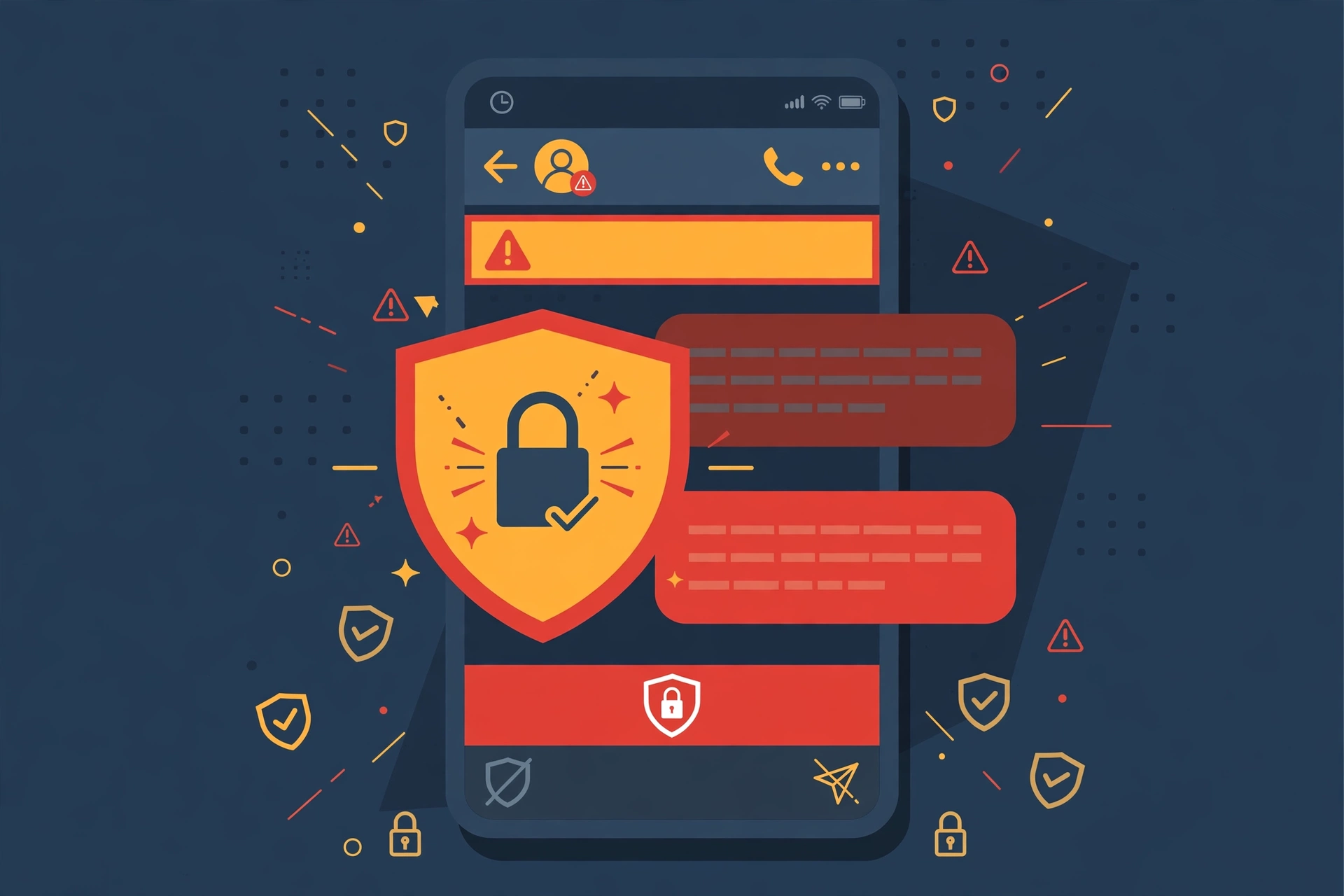
Impersonation has moved into chat. Microsoft has documented attackers sending Teams messages from compromised accounts while posing as IT support, then using that trust to steal multi-factor codes and deliver malware. The reason chat works so well for attackers is the trust gap: nobody scrutinizes a message from “their manager” in a group chat the way they would scrutinize a strange email.
Chat phishing, measured
The shift into collaboration tools is measurable. Palo Alto Networks’ Unit 42 telemetry recorded endpoint alerts from collaboration tools rising from 1,490 in July 2025 to 6,799 in June 2026, with 99 percent of them chat phishing. That is vendor telemetry, so treat the exact figures as directional, but the direction is steep and it matches what every other source describes.
The confidence gap
Then there is the confidence gap. A KnowBe4 survey of 169 professionals at Infosecurity Europe 2026 found that half lacked confidence in detecting messaging threats, and 60 percent said attacks had already moved beyond email. Confidence in stopping attacks varied sharply by channel: email at 83 percent, Teams at 61 percent, social messaging at 51 percent, SMS and WhatsApp at 50 percent, and Slack at just 40 percent. Two thirds of respondents said employees trust internal chat more than email. Teams attacks alone rose 41 percent between October 2025 and March 2026. The pattern is consistent: the channels people trust most are the ones they are least equipped to defend.
How the Architecture Works
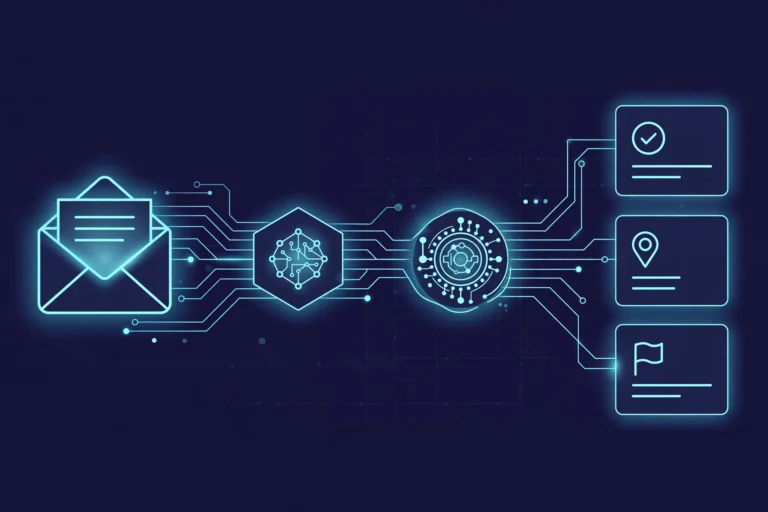
Most messaging security agents follow the same pipeline, whether they guard email, chat, or both. Understanding it helps you judge any tool you evaluate, because the differences between products live in how well each stage works.
Before delivery: gateway inspection and sender identity
Before delivery, the agent inspects at the gateway and verifies sender identity. For email this is the mature part of the stack: the gateway checks reputation, authentication results, and content before the message reaches the mailbox. For chat there is rarely a gateway at all, which is why API monitoring matters more there.
During delivery: API monitoring and link rewriting
During delivery, the agent watches through the platform’s own APIs — Slack’s Events API, the WhatsApp Business API, Microsoft Graph for Teams — and sees messages as they move. Link rewriting happens here: a link in a message is replaced with one that passes through a check first, so a harmless-looking URL can be re-examined at click time rather than only at send time.
After delivery: sandbox detonation and rollback
After delivery, the agent detonates suspicious attachments in a sandbox, watches for behavior that only looks wrong in hindsight, and rolls back what it missed. A message quarantined ten minutes after arrival is still a message nobody acted on, provided the rollback actually reaches every device that received it. That last detail is worth asking a vendor about, because rollback that only works on desktop is not rollback.
A message’s journey, step by step
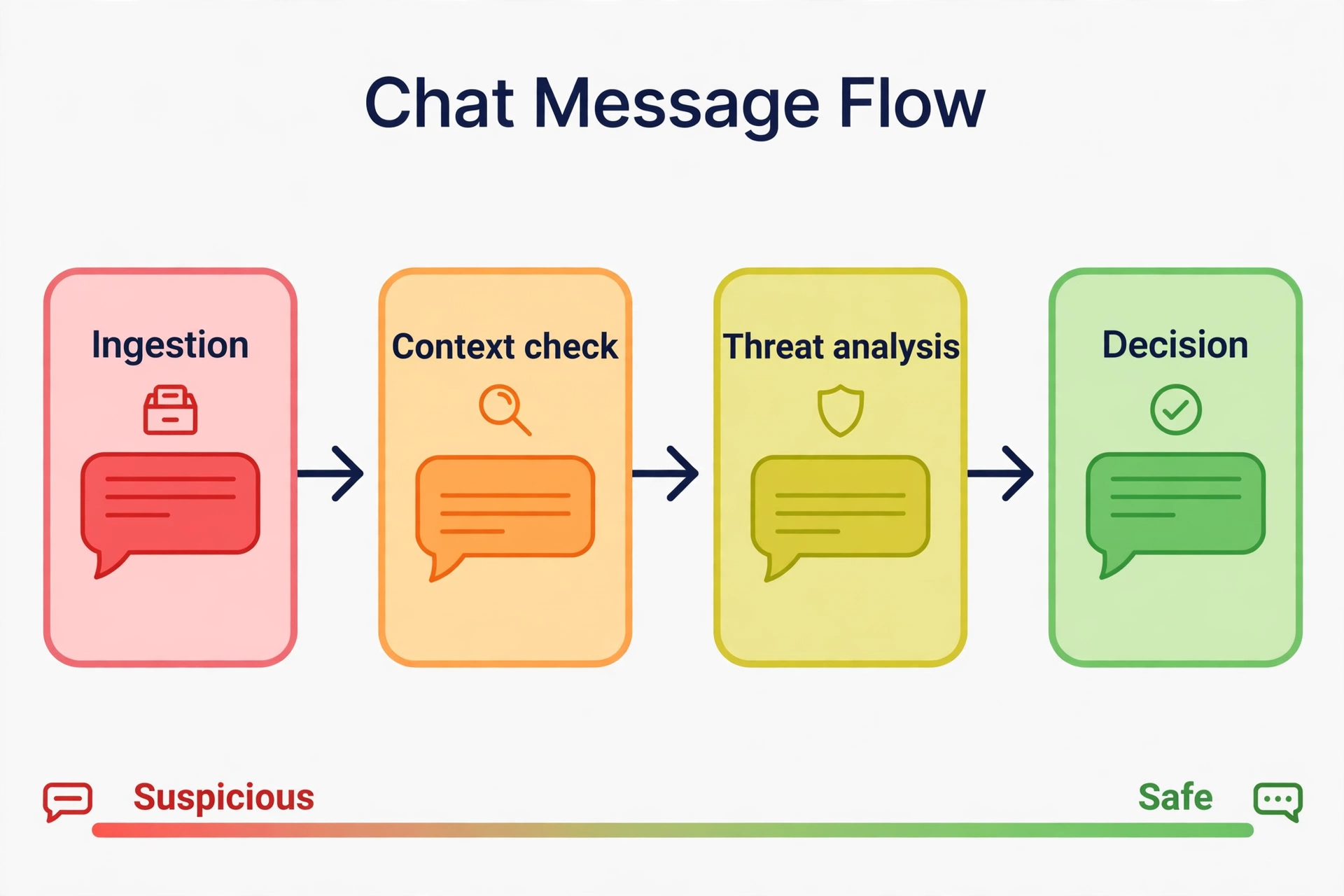
The pipeline is easier to grasp through one message. Imagine a Slack message that reads: “Hey, can you send me the client’s card details real quick, I’m locked out.” On its own, that sentence is not obviously an attack. People write like that every day. The agent scores it on context instead. Who sent it? An account that has never asked for card details before, in a channel it rarely visits, at an unusual hour. What does it ask for? Financial data, urgently, with a reason designed to skip verification. Is there a link or attachment? Not this time, but the urgency plus the financial request plus the sender’s unusual behavior together push the score past the threshold. The message is quarantined, the security team gets an alert with the reasons attached, and the intended recipient never sees it. A keyword filter would have waved it through, because no single word in it is dangerous. The agent catches it because the situation is wrong, not the vocabulary.
Real systems do not run an expensive AI model on every message. That would be slow and costly at scale. The usual design is layered: fast, cheap filters clear the obvious cases, and the heavier model examines only the ambiguous ones. That keeps latency low enough that the agent does not visibly slow down a live conversation, which matters, because a security tool people notice is a tool people route around.
Email vs Slack vs Teams vs SMS and WhatsApp
One tool rarely covers all four surfaces well, because they have different trust models. Email has two decades of gateway standards behind it. Chat apps mostly do not. SMS has carrier-level filtering but almost no enterprise controls. WhatsApp is end-to-end encrypted, so protection has to happen through the Business API rather than by reading message content in transit. A vendor claiming equal coverage everywhere deserves a hard question about each channel separately.
Mobile and carrier messaging
Mobile and carrier messaging is its own sub-market worth one note. Service providers filter SMS at network level, and products like Proofpoint’s mobile message security are built for carriers rather than individual companies. If your business sends high volumes of SMS, that is a different purchase from an agent guarding your Slack workspace, and the two should not be confused.
Where It Matters Most: Four Scenarios
The value of an agent becomes concrete in specific rooms, not in general.
Financial teams
In financial teams, the classic attack is a fake chief financial officer requesting an urgent wire transfer approval inside Slack. It works because it happens after an account compromise, inside a trusted channel, so email filters never see it. The FBI’s BEC figures put the stakes in plain terms: billions lost to messages that read like ordinary business.
Healthcare
In healthcare, clinical staff coordinate under time pressure and patient identifiers slip into chat. An agent that detects and redacts those identifiers before they land in an unsecured channel keeps the team fast without turning every conversation into a compliance incident.
Customer support
In customer support, the target is the representative. A “customer” running a social engineering script tries to get an account reset or data disclosed, one plausible message at a time. Support agents handle thousands of chats, and the agent watching those chats is the only party in the room that never gets tired or rushed.
SaaS and partner channels
In SaaS companies and partner networks, the surface is Slack Connect channels linking a company to vendors and clients. One policy across every external touchpoint beats five disconnected settings, especially when a compromise on a partner’s side becomes an attack on yours.
The 2026 Twist: When the Agent Is the Risk

Here is the part no competitor article covers, and it changes how you should think about deploying one of these tools. In 2026, the agents guarding your chats became targets themselves.
OpenClaw: the messaging agent Meta banned
The loudest example is OpenClaw, an open-source agent that lives inside WhatsApp and Slack. It gathered more than 100,000 GitHub stars, then ran into a critical remote code execution flaw, a corporate ban from Meta, and two rebrands. Nvidia answered the enterprise anxiety with NemoClaw, a wrapper built around a sandbox runtime and a privacy router. The lesson is not that one project failed. It is that the most popular messaging agent of the year became a security story in its own right, and any agent with deep access to your chats carries the same potential.
Shadow agents outside admin view
Then there are the shadow agents. ChatGPT Dots and similar assistants now sit inside Slack and Teams workspaces, often without any administrator ever approving them. Nobody owns them, nobody logs what they read, and nobody can switch them off in an emergency. An organization can deploy a careful, governed security agent and still have ungoverned agents reading the same channels.
Deceived agents, real incidents
The incidents are already happening. IRONSCALES’ third annual report, published in October 2026 and based on a Censuswide survey of 501 IT and security professionals at organizations with 1,000 to 10,000 employees, found that 77 percent had experienced an agent-related incident. Almost everyone, 96 percent, uses agents. Nearly half, 49 percent, let agents into email and messaging. And 42 percent said an agent had acted on a malicious message. That is a vendor report, so read it as directional rather than exact, but the pattern it describes — agents with broad access, deceived through ordinary messages — is consistent with everything else in this space.
Prompt injection through messages
The mechanism is simple and worth understanding. Prompt injection through messages means anyone who can write in a channel the agent reads can put text in front of it. A message does not need to attack a person anymore. It can attack the agent, and the agent’s access becomes the attacker’s access. This is why the governance conversation around agents matters as much as the technology, a point our guide to AI governance for business covers in depth: who defines what the agent may flag, who reviews its mistakes, what data it retains, and who can kill it.
The rule that fixes it
The rule that fixes most of this is blunt, and it comes from Amplix and CyberMaxx’s six controls: no owner, no log, no kill switch, no production. An agent without a named human owner, without audit logs, and without a tested way to switch it off should not be running anywhere near your messages, no matter how useful it looks.
Where It Falls Short
An honest guide says what the tool cannot do, because the gaps decide whether it fits your organization.
Coverage gaps
Coverage is only as wide as its integrations. If IT never connected the contractor Slack workspace or a regional WhatsApp Business number, that channel has no protection at all. The agent’s blind spots are exactly the channels nobody remembered.
Novel attacks
Novel attacks slip through on first sight. Context-aware reasoning catches known manipulation patterns well, but a genuinely new social engineering script, one that resembles nothing in the model’s training or feedback data, can pass at least the first time.
Alert fatigue
Alert fatigue is the quiet killer. If the agent flags too many harmless messages, teams start ignoring or muting its warnings within weeks, the same failure that plagues traditional security monitoring tools. Thresholds are a trust decision, not just a technical setting.
Privacy and employee trust
Privacy and employee trust cut both ways. An agent reading every conversation needs a policy and an honest explanation to staff, not just a purchase order. Tools can usually be scoped to business channels, but whether employees believe that depends on whether the organization says so clearly and keeps its word.
Latency and cost
Latency and cost are real constraints. Running a large model on every message is slow and expensive, which is why serious systems pre-filter with cheap models and reserve the heavy reasoning for ambiguous cases. A vendor that will not explain its layering probably has not solved this.
It does not replace training
And it does not replace training. People still need to recognize and report suspicious messages. The agent reduces risk. It does not remove it, and any pitch claiming otherwise should end the conversation.
Messaging Security Agent vs Email Gateway vs EDR vs DLP
A common question is how this differs from tools you may already run. The short version is that each tool guards a different place, and they overlap less than vendors suggest.
| Tool | What it covers | How it decides | Where it stops |
|---|---|---|---|
| Email security gateway | Email, one channel | Rules, reputation, signatures | Chat apps entirely |
| Endpoint detection and response (EDR) | Devices | Behavior on the endpoint | Messages that never touch malware |
| Data loss prevention (DLP) | Data leaving the organization | Policies on sensitive data types | Attacks with no data exfiltration |
| Messaging security agent | Email plus chat apps | Context and intent, often with AI | Channels it was never connected to |
Why a spam filter is not a messaging security agent
A spam filter is not a messaging security agent, and the distinction matters. A spam filter mostly applies fixed rules and known-bad lists to email. It is good at volume and bad at nuance. An agent reasons about intent across email and chat, which is why it catches a well-written impersonation carrying no spam signals at all. Most mature security setups run both, alongside EDR and DLP, because the agent fills the gap the others leave: real-time, context-aware protection inside conversations where traditional email standards do not apply. If you are building the wider picture of how these agents fit into automated work, our guide to AI automation workflows maps where agents sit inside business processes.
How to Choose and Deploy One
Channels first
Choosing well starts before any vendor demo, with a list. Map every messaging surface your business actually uses: email, Slack, Teams, SMS, WhatsApp, support chat widgets, contractor workspaces, and the channels you forgot until someone names them. The list is almost always longer than expected, and its length decides the budget.
Gateway vs API deployment
Then decide the deployment shape. A gateway sits before delivery and is deep on one channel, usually email. An API deployment watches through platform connections, covers chat, and depends on rollback working after delivery. Neither is strictly better. Gateway deployment is stronger where it applies and narrower in reach. API deployment is broader and leans on how fast and completely it can pull a message back.
Three integration questions
Three integration questions separate serious tools from slide decks. Does it plug into your identity system, so a compromised account is judged against real behavior? Does it sandbox attachments and rewrite links, or only scan text? Do its data loss rules match your actual policies, rather than a generic list? Ask for demonstrations on your own messages, not a vendor’s rehearsed examples.
Governance before go-live
Then settle the governance before go-live, not after the first incident. Name a human owner. Confirm audit logs exist and someone reads them. Test the kill switch in a drill, not in a crisis. Start in flag-only mode, watching and warning without blocking, so thresholds get calibrated before a single legitimate message is wrongly stopped. The teams that skip this step are the ones that flood their staff with false blocks on day one and lose trust they never recover.
Pricing honesty
On pricing, honesty requires a warning: most serious tools in this space are enterprise products sold on quote, and vendors rarely publish prices. Any article or vendor page giving you a neat price list for this category is either describing a different product or guessing. Expect a sales conversation, budget for per-user or per-channel pricing, and treat a published number with suspicion until a vendor confirms it for your size.
Frequently Asked Questions
Is a messaging security agent the same as antivirus?
No. Antivirus protects devices from malicious files. A messaging security agent protects conversations from manipulation, phishing, and leaks. They complement each other, and a mature setup runs both.
Does it work on WhatsApp and personal messaging apps?
It works on business messaging channels connected through official APIs, including WhatsApp Business. Personal accounts are generally out of scope, and that boundary is a good thing: an agent reading employees’ private messages is a governance failure, not a feature.
Can it read my private messages?
It depends on how it is set up. Most tools can be limited to business channels and company policy, so whether it touches private conversation is a governance decision you control, not an automatic behavior. The honest version of this answer includes telling employees what is monitored, in plain language, before deployment.
Does it stop BEC attacks that carry no malware?
That is exactly what it is built for. BEC messages often contain no link, no attachment, and no malware, only a plausible sentence from a plausible sender. The agent catches them by reasoning about context, sender behavior, and intent, which is the one thing signature-based tools cannot do.
What is the difference between it and a spam filter?
A spam filter applies fixed rules and known-bad lists, mostly to email. A messaging security agent reasons about context and intent across email and chat, so it catches well-written attacks that carry no spam signals. Volume filtering and intent reasoning are different jobs.
Does a small business need one, or is this enterprise-only?
It depends on the cost of a single bad message. Smaller teams are often fine with the messaging security built into their email and chat platforms. Larger or higher-risk organizations, or any business where one fraudulent transfer or one leaked client file would be serious, usually need a dedicated layer.
Is “Messaging Security Agent” a Trend Micro product?
It is one meaning of the term. Trend Micro’s Worry-Free Business Security includes a module called the Messaging Security Agent that protects Microsoft Exchange email. More broadly, the term describes any AI tool that secures business email and chat. The section near the top of this guide covers the Trend Micro product in detail.
How do I uninstall or disable the Trend Micro agent?
Uninstall it from the Worry-Free web console with the Uninstall Agent command, which removes it from the endpoint and the console together. If the agent shows as inactive, removing it from the console only stops the server managing it; it does not uninstall anything on the machine, and the agent reappears if the machine talks to the server again. If the master service keeps stopping, check the SQL Server instance MSSQL$SCANMAIL first, because the agent’s services depend on it and stop when it stops. The Trend Micro section of this guide has the full details.
Bottom Line
Messaging moved past email years ago, and attackers followed it into every channel where people actually talk. The defense had to follow too, moving from the email gate into the message stream itself, where an agent can read context, judge intent, and act before a click does the damage. That is the real advance here, and the numbers behind it are no longer arguable. But the newest lesson is the one to carry into any purchase decision. Anything smart enough to guard your chats is smart enough to be fooled through them, so the agent guarding the channel needs guarding too: a named owner, honest logs, a tested kill switch, and a policy written before deployment rather than after an incident. Map your channels, start in flag-only mode, and treat the agent as one strong layer in a wider plan, not the whole wall.