Ask three people in your company to describe the same process and you’ll get three different answers. The ops person describes the official version. The person doing the work describes the workarounds. And somewhere between them is what’s actually happening — usually messier than anyone admits.
That gap is what AI tools for business workflow analysis and process mapping are built to close. They work two ways: some generate a visual map from a description you type in, and others pull the real sequence of events straight from the systems you already use — your CRM timestamps, your helpdesk logs — showing what happened instead of what everyone remembers happening.
This guide covers both kinds, who each is for, what they actually cost, and the method for mapping a process properly before you automate it. Because the map is the easy part. The easy part is also where most teams go wrong.
The 3 Types of AI Process Mapping Tools (and Which One You Need)
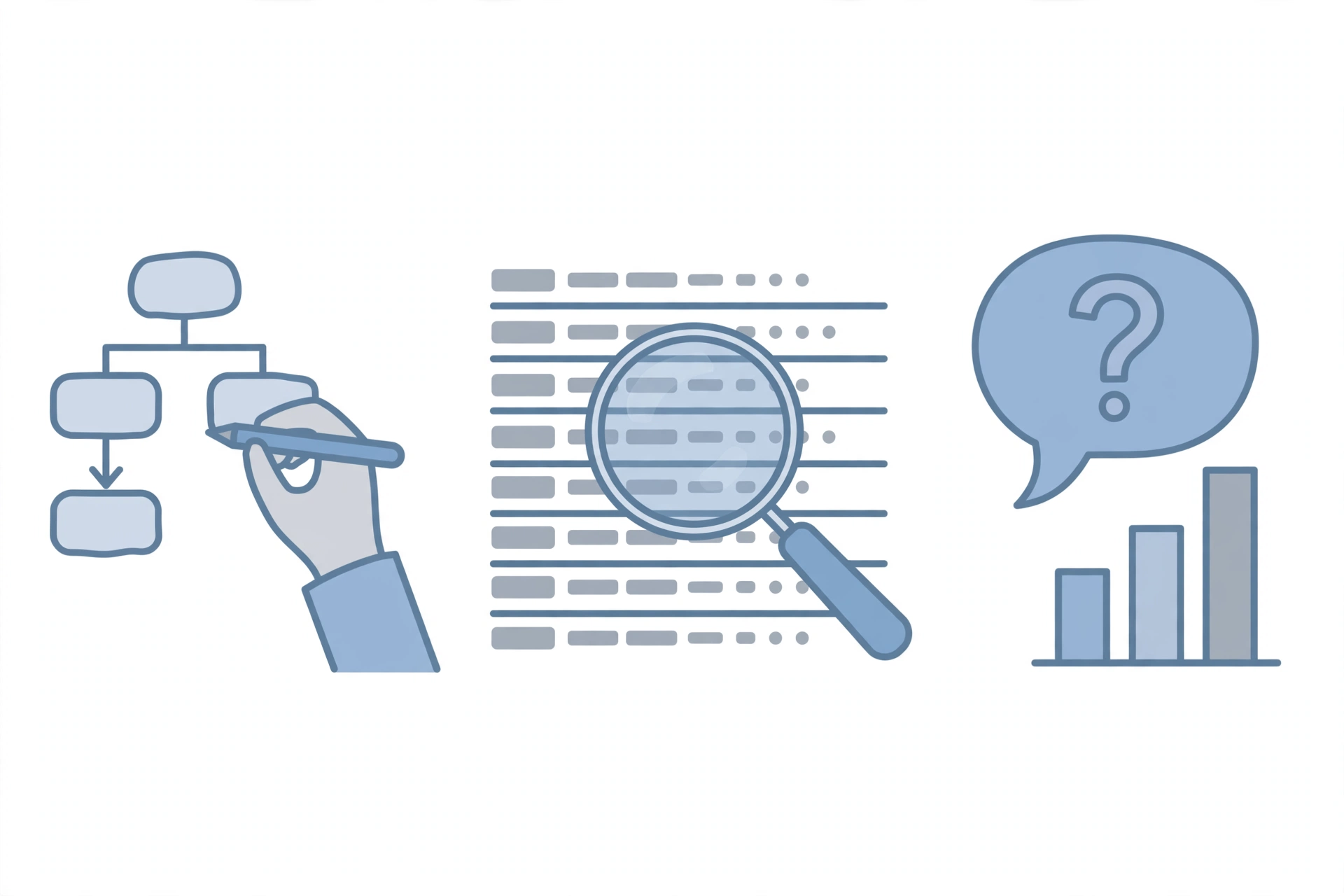
Vendors market all three types under the same “AI process mapping” umbrella. They solve different problems, and buying the wrong type is the most expensive mistake in this category.
1. AI diagram generators
You describe the process; the tool draws the flowchart. Whimsical, Miro’s AI features, and Lucidchart’s AI assist live here. Fast, affordable, often free to start — and the quality of the output matches the quality of your description. A vague prompt produces a vague diagram that looks authoritative, which is worse than no diagram at all.
You need this if: the process currently lives in people’s heads and you need it visible before you can improve it.
2. Process mining tools
These connect to your actual systems and reconstruct what really happened from event logs and timestamps. Celonis, SAP Signavio, and UiPath Process Mining live here. More accurate than anything built from interviews — but only useful if your process actually lives inside connected software. If half of it happens over email, in spreadsheets, or in someone’s memory, mining tools can’t see that half.
You need this if: the process already runs inside systems you use daily and you want proof of where it breaks down, not opinions.
3. Conversational process intelligence
The newest category: you ask plain-language questions about process data the tool already holds — “where are most of our deals getting stuck?” — and it answers or generates a view on the fly. Useful when you’re already sitting on process data and want faster answers. Not where you start when designing a process from scratch.
You need this if: the data exists and the bottleneck is how slowly humans interrogate it.
Which one do you actually need?
| Your situation | Start with |
|---|---|
| Process lives in people’s heads, nothing documented | AI diagram generator |
| Process runs in systems, but nobody knows where it stalls | Process mining |
| You have process data and want faster answers from it | Conversational intelligence |
| Solo freelancer, 2–3 repeatable processes | A doc and a free diagram tool — you don’t need software yet |
That last row matters more than the table. If you’re working alone and the process fits in your head, mapping software is procrastination disguised as preparation. These tools start earning their keep the moment a process touches more than one person — or the moment you’re about to scale something and need it to work the same way without you supervising every step.
Do you need BPMN?
BPMN (Business Process Model and Notation) is the industry standard for formal process diagrams — precise symbols for events, gateways, and flows. Enterprise tools (Signavio, ARIS, Bizagi, Camunda) speak it natively. Do you need it? If your maps feed compliance audits or executable workflows, yes. If you’re documenting processes for a 10-person team, no — plain flowcharts with swimlanes communicate better and nobody has to learn a notation standard. Don’t let a vendor sell you BPMN compliance for a problem that needs clarity.
How to Choose: The 5-Question Filter
Eleven tools is too many to evaluate. Run these five questions in order and the field narrows itself:
1. Where does the process live — heads or systems?
Heads → diagram generator (tools 1–6). Systems → mining (tools 7–11). This one question eliminates half the list.
2. How many people touch it?
Under ~20 and you’re almost certainly in diagram-generator territory. Mining earns its keep at volume.
3. What’s the budget reality?
$0 → draw.io or the Mermaid method. Under $50/month → Whimsical, Lucidchart, Miro. Serious budget with systems to mine → the enterprise tier.
4. Does it need to survive an audit?
If yes, you need governance features (repository, version control, BPMN) — Signavio, Nintex, or ARIS territory. If no, don’t pay for them.
5. Will this tool still fit in 18 months?
The cheapest tool that fits today beats the impressive one you’ll grow into someday. But if you’re hiring fast, pick the tool with headroom — migrating process documentation mid-growth is miserable.
Answer all five and you’ll be choosing between two or three tools, not eleven.
11 AI Tools for Business Workflow Analysis & Process Mapping, Compared
Sorted by who each tool is actually for, cheapest first. Prices as published in 2026.
1. Whimsical
Best for: individuals and tiny teams creating their first flowcharts. Price: free plan available; paid from $10/month per editor.
Verdict: describe what you need in plain language and get a clean flowchart in seconds. Zero learning curve. It won’t analyze anything — it’s a drawing tool with AI assistance, and it’s honest about that.
Watch out: the simplicity that makes it great for first maps becomes a ceiling; once you need version control or governance, you’ll outgrow it.
2. Miro
Best for: teams already living in Miro for brainstorming and planning.
Price: free plan; paid from $8–10/month per user.
Verdict: the AI flowchart features are genuinely useful if you’re already paying for Miro. As a standalone purchase just for process mapping, it’s overkill — you’re buying a whiteboard to draw one diagram.
Watch out: per-user pricing means the cost scales with team size even if only three people ever touch the process maps.
3. Lucidchart
Best for: teams that need AI-generated flowcharts plus the full diagram universe (org charts, network diagrams, wireframes).
Price: limited free tier; paid from around $7.95/month per user.
Verdict: the balanced pick — more diagram types than Whimsical, less enterprise machinery than the big platforms. A sensible default for small businesses that outgrow free tools and want one diagramming home.
Watch out: the free tier is genuinely limited; evaluate on the paid tier or you’ll misjudge it.
4. draw.io (diagrams.net)
Best for: anyone who wants a capable diagramming tool for exactly $0, forever.
Price: free, no paid tier.
Verdict: no AI generation, no analytics — just a solid, fast diagramming tool that respects your wallet. Pair it with ChatGPT or Claude generating Mermaid syntax and you’ve built yourself a $0 AI mapping workflow. Unfashionable, unbeatable value.
Watch out: collaboration is file-based rather than real-time — fine for small teams, friction for larger ones.
5. Microsoft Visio
Best for: organizations standardized on Microsoft where diagrams need to live in that ecosystem.
Price: separate paid plans (not included in standard Microsoft 365).
Verdict: the corporate default. Does the job, integrates with the Microsoft stack, and nobody ever got fired for choosing it. AI features lag the newer tools, and at scale the per-user cost adds up quietly — audit who’s actually using licenses yearly.
Watch out: buying Visio for AI mapping specifically is buying last decade’s tool for this decade’s job; its strength is standardization, not intelligence.
6. ShiftX
Best for: teams with existing process sketches — whiteboard photos, workshop drawings — they want digitized fast.
Price: paid plans; no meaningful free tier.
Verdict: the text-to-flow plus image-to-flow combination is genuinely distinctive: photograph the whiteboard, get an editable diagram. If your process knowledge currently lives on walls and in workshop photos, this pays for itself in the first month.
Watch out: without a free tier, you’re buying on faith — demand a trial and test it on your messiest whiteboard photo, not the clean one.
7. Celonis
Best for: enterprises with high-volume processes running inside big systems (SAP, Salesforce).
Price: enterprise licensing, quote-based.
Verdict: the process mining leader for a reason — unmatched at finding bottlenecks in system-based processes at scale. Complete overkill under ~20 people unless you’re processing serious transaction volume.
Watch out: implementation is a project, not a purchase — budget for the services engagement alongside the license.
8. SAP Signavio
Best for: large organizations, especially SAP landscapes, that need process modeling plus governance.
Price: enterprise licensing.
Verdict: strong on the repository and governance side — the system of record for how processes should run. Heavier rollout than the diagram-first tools, and it shows.
Watch out: buy it for governance and standardization; if what you need is quick discovery of one broken process, it’s the wrong tool.
9. UiPath Process Mining
Best for: organizations already on the RPA path who want discovery feeding directly into automation.
Price: enterprise licensing.
Verdict: the natural pick if UiPath bots are in your future — the mining finds the processes, the bots execute them. As a standalone mapping purchase outside the UiPath ecosystem, less compelling than the dedicated miners.
Watch out: the value compounds inside the UiPath stack and thins outside it; evaluate it as part of that stack, not alone.
10. Microsoft Power Automate Process Mining
Best for: Microsoft-centric organizations that want mining without a new vendor relationship.
Price: per-user, via Power Automate premium licensing.
Verdict: the pragmatic enterprise choice when the data already lives in the Microsoft stack. Less deep than Celonis, far easier to procure if you’re already a Microsoft shop.
Watch out: depth follows the data; if your key processes live outside Microsoft systems, its visibility ends at the boundary.
11. Nintex
Best for: departments that want straightforward process documentation that converts directly into automated workflows — HR onboarding, contract approvals, purchase requests.
Price: tiered plans, quote-based for platform bundles.
Verdict: the practical middle ground between diagram tools and enterprise mining: map how work should happen, then automate approvals, notifications, and routing in the same platform. Friendly for business users, less intimidating than the miners.
Watch out: it’s a platform commitment, not a single tool — evaluate whether you need the whole suite or just the mapping piece.
Free Process Mapping Tools That Are Actually Good
“Free” in this category usually means a trial wearing a free plan’s clothes. These are the exceptions — tools whose free tiers do real work.
draw.io is the king here: unlimited diagrams, no account games, exports to everything. The only thing missing is AI generation, which you supply yourself.
Whimsical’s free tier handles genuine flowchart creation with AI assistance — enough for a freelancer documenting client processes or a small team mapping its first few workflows.
Miro’s free plan gives you workable boards for collaborative mapping sessions. Limited, but mapping is often a workshop activity anyway — one session, one board, done.
The $0 method: describe your process step-by-step to ChatGPT or Claude and ask for Mermaid diagram syntax, then paste it into any free Mermaid renderer or draw.io. Ten minutes, zero dollars, surprisingly good output — provided your description is specific. The AI can’t map what you can’t articulate, free or not.
Process Mining Explained: When You Need It (and When You Don’t)
Process mining deserves its own section because it’s the most misunderstood term in this space — and the most oversold.
What it actually is: software that reads event logs from your systems (timestamps from your CRM, ticket system, ERP) and reconstructs the process as it really ran — including every variant, loop, and exception. The classic output is the as-is map: the messy reality. Against it you draw the to-be: how the process should run. The gap between them is your improvement backlog, quantified.
When you need it: high-volume processes inside connected systems, where the question is “where exactly does it stall?” rather than “what are the steps?” Invoice approvals, ticket routing, order fulfillment — anywhere volume makes manual observation impossible.
When you don’t: if the process spans email threads, hallway conversations, and spreadsheets, mining sees a fraction of reality and presents it with total confidence. That’s worse than a hand-drawn map, because the hand-drawn map at least knows what it doesn’t know. Also skip it if you can’t answer “which system holds the event log?” — no log, no mining.
The honest rule: mining answers “what’s really happening?” Diagramming answers “what should happen?” Most teams need the second question answered first. If you do want to go deeper on the enterprise side of mining, KYP.ai’s comparison of automated process discovery tools is the clearest vendor-neutral-style breakdown of the three families — system-log mining, RPA-led discovery, and activity-based capture.
How to Map a Process with AI: The 5-Step Method
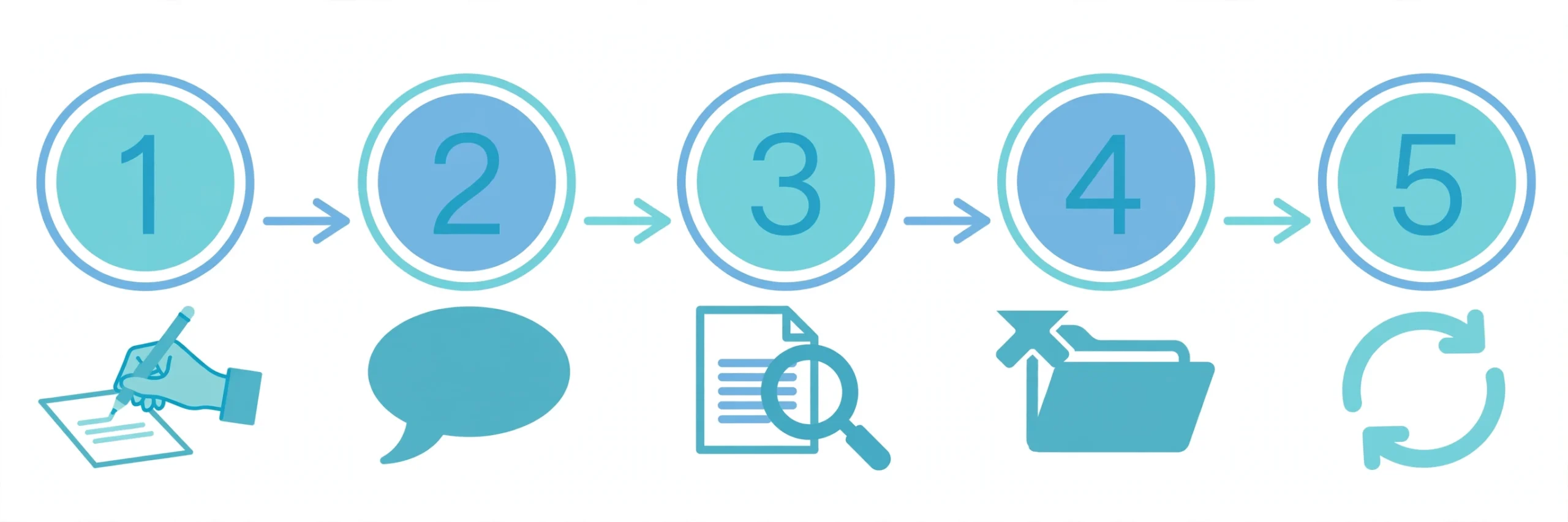
The tool matters less than the method. This is the method, in order:
Step 1: Document the process without any AI first
Pen and paper. Write every step from start to finish — including the embarrassing manual ones (“email the client to remind them,” “copy this into the spreadsheet”). The AI can only organize what you’ve articulated; it can’t discover steps you forgot to mention. This step feels redundant. It’s the most important one.
Step 2: Prompt with specifics, not vibes
“Map my onboarding process” gets you a generic five-box diagram. Instead: “Here are the steps of our client onboarding: [list]. Create a flowchart showing the responsible person for each step, and branch at these two decision points: [conditions].” Steps, owners, branches — those three elements are what separate a useful map from wall art. If the tool supports it, ask for swimlanes by role; seeing who does what across the process exposes handoff delays that a flat flowchart hides.
Step 3: Review the draft like you don’t trust it
Because you shouldn’t, yet. Check every step is in the right order, nothing got merged or dropped, and the decision branches reflect reality. AI-generated maps are confident drafts, not verified documents — and confidently wrong looks identical to confidently right. Five minutes here prevents a wrong process becoming the official one.
Step 4: Export it where your team actually looks
A diagram trapped in one app’s interface dies within a week. Export to wherever your team already goes: a PDF in the shared drive, an embedded image in the SOP doc, a Mermaid file if it feeds another system. The map’s value isn’t the diagram — it’s whether anyone opens it after the first week.
Step 5: Maintain it, or delete it
A stale process map is worse than none: it teaches new hires the wrong process with the authority of documentation. Put a review date on every map — quarterly for stable processes, monthly for changing ones. If nobody will maintain it, don’t make it.
5 Mistakes That Waste Your Money
Buying the tool before mapping anything
The enterprise sales cycle loves this: six months of procurement for software that maps processes nobody has documented. Map one process with pen and paper first. The tool decision gets obvious once you know what you’re mapping.
Buying an enterprise platform for a five-person team
Celonis will happily take your money; it won’t happily solve your problem. Match the tool to your reality: under ~20 people, you need a diagram generator, not process mining. The mismatch wastes budget and, worse, teaches the team that “process tools” mean complexity.
Mapping five processes in week one
The enthusiasm is real and the result is a folder of half-finished diagrams nobody trusts. One process, mapped properly, reviewed, and actually used — then the next. Depth beats coverage every time.
Connecting customer data without checking retention
Process mining tools ingest your CRM, helpdesk, and ticket data — including customer information. Two minutes checking the vendor’s data retention policy before connecting anything. Not a legal project, just basic hygiene that most teams skip.
Treating the AI draft as final
The AI drafts from what you told it; it doesn’t verify against reality. Every AI-generated map needs the Step 3 review. Skipping it is how a plausible-but-wrong process becomes the documented standard — and wrong standards are harder to fix than no standards.
From Map to Automation: What Comes Next
Here’s the thing most mapping guides never say: the map is not the deliverable. The deliverable is what the map enables — and that’s automation.
Once a process is mapped, reviewed, and trusted, each step gets a question: does a human need to do this, or can software? The manual handoffs become workflow triggers. The judgment calls become AI steps with guardrails. The exceptions get explicit handling instead of hallway fixes. That’s the bridge from process mapping to business process automation — and it’s why mapping comes first: automating an unmapped process just makes chaos faster.
FAQs
What’s the difference between process mapping and process mining?
Process mapping draws a visual picture of a process, usually from what people describe. Process mining reconstructs the process from real system data — event logs and timestamps — showing what actually happened rather than what was supposed to happen. Mapping answers “what should happen?”; mining answers “what really happened?”
Can I map workflows with AI for free?
Yes. draw.io is completely free, Whimsical and Miro have usable free tiers, and the $0 method — ChatGPT or Claude generating Mermaid syntax pasted into a free renderer — produces genuinely good diagrams. Paid tools buy convenience and collaboration, not the ability itself.
What is business process automation?
Business process automation (BPA) is the practice of running end-to-end business processes — order-to-cash, hire-to-retire — with software handling the steps and handoffs. AI business process automation adds intelligence at the judgment points: classifying, deciding, and adapting where rigid rules would break.
Do I need process mining, or is a diagram tool enough?
If the process lives mostly in people’s heads: diagram tool. If it runs at volume inside connected systems and you need proof of where it stalls: process mining. Most teams under ~20 people never need mining — and buying it early is one of the mistakes above.
How accurate are AI-generated process maps?
Exactly as accurate as your input. A detailed description of a well-understood process produces a good draft; a vague description produces confident fiction. System-data mining is more accurate but only sees what the systems record. Either way, treat the first output as a draft for review, not a finished document.
Which tool should a freelancer pick?
Probably none to start — a doc and draw.io cover it until you have subcontractors or a VA who needs to follow the process without you. When that day comes, Whimsical’s free tier is the gentlest on-ramp.
The Bottom Line
The vendors want you to believe process mapping is a software problem. It isn’t — it’s a clarity problem that software can help with, once the clarity exists. The teams that get value from these tools all did the same unglamorous thing first: they wrote down what actually happens, argued about it, and agreed on reality.
Pick the cheapest tool that fits your situation. Map one process properly — pen and paper first, AI second, skepticism throughout. Then automate what the map reveals. In that order, every time.